
Computer Repairs Murray Bridge: Friendly, Reliable Help from Bizup Solutions
If your computer is playing up, running slow, or refusing to start right when you need it most, you’re not alone. Tech dramas don’t care whether you’re a busy tradie trying to send invoices, a parent paying school fees, or a small business owner running an EFTPOS terminal. When you need Computer Repairs in Murray Bridge, Bizup Solutions is your local, friendly team that speaks your language and sorts issues without fuss.
This article is a plain-English guide to what we do, how we help, and why locals trust us. No jargon, no hard sell—just practical info so you can get back to work, streaming, study, and everything in between.
Why Murray Bridge Chooses Bizup Solutions
Real people, real solutions
We’re locals who understand how important your tech is to your day. When things go wrong, you want someone who listens, asks the right questions, and fixes the issue properly. That’s the experience we deliver—straightforward advice and dependable results.
Clear communication
You shouldn’t need a dictionary to understand your repair options. We’ll explain what’s gone wrong, what your choices are, and what we recommend in simple terms. You stay in control the whole way.
Practical, cost-sensible advice
Sometimes it’s smarter to repair; sometimes an upgrade or replacement makes more sense. We’ll help you weigh up the options so you can make a decision that fits your needs and saves you headaches later.
Fast turnarounds and flexible options
We offer workshops, onsite, and remote support where appropriate. Whether you’re in town or nearby, we’ll advise the best way to get you sorted quickly.
Locally focused
From Murray Bridge to surrounding areas like Tailem Bend, Callington, Monarto, and Wellington, we’re right here when you need us—no need to ship your device away for weeks.
Our Core Services
When you search for Computer Repairs Murray Bridge, you’re usually dealing with one of a handful of common problems. Here’s how we help.
1) Laptop and desktop repairs
- Won’t boot or random shutdowns: Diagnostics to pinpoint hardware or software faults.
- Blue screens and freezing: We investigate drivers, memory, storage health, and system conflicts.
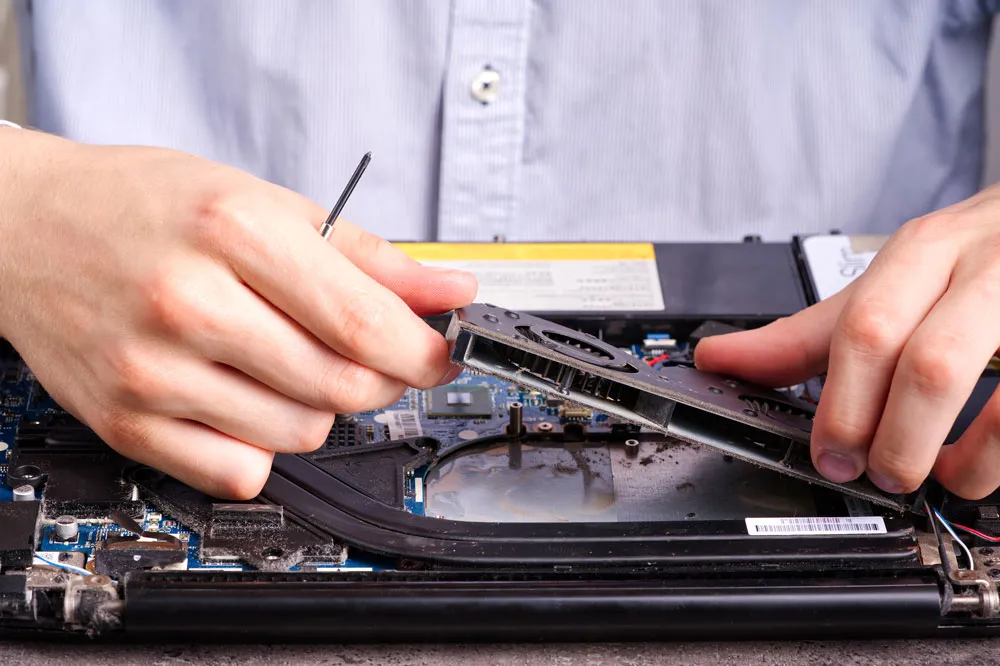
- Overheating and loud fans: Internal cleaning, fresh thermal paste, airflow checks, and fan replacements.
- Broken screens and hinges: Quality parts and careful fitting to bring your laptop back to life.
- Keyboard and trackpad faults: Replacement or repair to restore smooth everyday use.
2) Performance tune-ups and upgrades
- Slow computers don’t always need replacing. A tuned-up system can feel brand new.
- SSD upgrades for faster boot times and snappier apps.
- RAM increases to handle more browser tabs, larger projects, and creative software.
- Start-up and background process clean-ups to reduce lag.
3) Data protection and recovery
- Accidental deletion or a failing hard drive is stressful. We assess the situation, attempt safe recovery where possible, and set you up with sensible backup strategies to prevent future scares.
- Backup plans tailored to your home or business—local, cloud, or a mix of both—to keep your files, photos, and invoices safer.
4) Virus, malware, and scam clean-ups
- Removal of dodgy software, browser hijackers, and pop-ups.
- Security hardening: reputable antivirus, firewall settings, and safe-browsing tweaks.
- Scam recovery support: we’ll help you secure accounts, update passwords, and reduce future risk.
5) Wi-Fi and networking fixes
- Dropouts, dead zones, and slow Wi-Fi: We optimise your router placement, channel selection, and mesh coverage.
- NBN setup support: Ensure your modem/router and devices are configured correctly.
- Printer sharing and NAS: Make files and printers available to the right people, not the whole neighbourhood.
6) Small business IT support
- New device setup: Laptops, desktops, point-of-sale systems, barcode scanners, and label printers.
- Microsoft 365 / Google Workspace: Email and collaboration configured for reliability.
- User accounts, permissions, and backups: Keep things tidy as your team grows.
- Proactive maintenance: Regular check-ups to keep systems stable and staff productive.
7) Email, accounts, and device setup
- Email on phones, tablets, and PCs without sync issues.
- Contacts and calendars aligned across devices.
- New computer transfers so your files and settings move across smoothly.
8) Remote support (when appropriate)
- Many issues can be handled without you leaving home or work. If we can fix it remotely, we’ll let you know and get it sorted quickly.
The Bizup Way: Simple, Transparent, Helpful
We keep the process easy:
- Chat with us Tell us what’s going on. We’ll ask a few quick questions to size up the issue.
- Assessment We’ll take a look—either in workshop, onsite, or via remote session—and explain what we find in plain English.
- Your options We outline repair paths and upgrade alternatives so you can choose what’s best for your situation.
- Fix and optimise We do the work efficiently and check the whole system, not just the original fault.
- Aftercare tips We leave you with simple pointers to keep things running smoothly—no fluff, just what matters.
Common Problems We Solve (Every Week!)
- “My computer takes forever to start.” Often, a sign you’ll benefit from an SSD upgrade plus a tune-up of start-up apps.
- “I keep getting pop-ups and weird toolbars.” Classic browser hijackers or adware—cleanable and preventable with the right setup.
- “The Wi-Fi is fine in the lounge but not in the back rooms.” Mesh systems and smart placement can make a world of difference.
- “Outlook keeps asking for my password.” Usually, a misconfiguration or authentication issue—we’ll straighten it out.
- “The laptop gets scorching hot and shuts down.” Dust, clogged vents, or old thermal paste are common culprits.
- “I deleted a folder I really need.” Stop using the drive and call us—every action counts when recovery is on the table.
- “The printer only works for one person in the office.” We’ll set up shared printing properly and check permissions.
For Home Users in Murray Bridge
Tech should make life easier, not harder. We help with:
- New PC or laptop setup: Unbox, configure, migrate files, and install essentials.
- Family safety: Basic parental controls, device restrictions, and safe search.
- Smart home devices: Setup help for Wi-Fi cameras, speakers, TVs, and more.
- Photo management: Backups and tidy, easy-to-find libraries.
For Small Businesses and Tradies
Your time is money, and IT should serve your workflow, not interrupt it.
- Device fleet setup: Get new team members productive quickly with the right apps and access.
- Email and collaboration: Reliable calendars, shared mailboxes, and document access from site, home, or office.
- Point-of-sale and peripherals: Help connecting EFTPOS, label printers, and scanners.
- Proactive care: Periodic check-ups to keep systems healthy and reduce surprise downtime.
- Cyber-hygiene: Password managers, multi-factor authentication, and sensible backup plans.
Practical Tips to Extend Your Computer’s Life
A few small habits can keep your devices faster and more reliable:
- Keep it cool Don’t block vents. Laptops on doonas or cushions can overheat. A simple stand can improve airflow.
- Update regularly Schedule updates for Windows/macOS and key apps. They deliver performance improvements and security patches.
- Use reputable security software. Avoid “free” tools from random pop-ups. If something promises overnight miracles, it’s probably not worth the risk.
- Back up your files Use at least one local method and one cloud method if possible. That way, a lost laptop or a failed drive isn’t a catastrophe.
- Mind your browser extensions. Too many add-ons slow things down. Stick to what you actually use and remove the rest.
- Be scam-aware Unexpected phone calls claiming to be “from your bank or the NBN” are a red flag. If in doubt, hang up and call the official number yourself.
What Makes a “Good” Repair in 2025?
Technology changes rapidly, but good repairs are timeless: find the root cause, fix it properly, and set up the system to avoid repeats. That means:
- Thorough diagnostics We don’t guess—we test. From storage health and memory checks to event logs and thermal readings, we investigate properly.
- Quality parts and careful fitment Sound hardware and tidy cabling keep your computer stable and easier to service later.
- Holistic optimisation Once a fault is fixed, we look for bottlenecks—startup clutter, outdated drivers, weak Wi-Fi, or a backup that hasn’t run in months.
- Education You shouldn’t need us every week. We’ll show you what changed and how to maintain it.
How to Decide: Repair, Upgrade, or Replace?
When you’re looking for Computer Repairs Murray Bridge, it’s natural to wonder whether you should keep the machine or start fresh. Here’s a sensible way to think about it:
- Repair when the machine is otherwise fine and the fault is specific (e.g., a failing fan, dead battery, or corrupted system files).
- Upgrade when the hardware is fundamentally sound but slow—an SSD and more RAM can transform everyday performance.
- Replace when multiple components are failing, or the device can’t sensibly run the software you need (for example, modern editing tools or video meetings with multiple screens).
If you’re unsure, we’ll assess and lay out the options clearly so you can choose what suits your work, home life, and plans.
Frequently Asked Questions
Do you fix both Windows and Mac? Yes. We handle Windows PCs, laptops, and Apple Macs, as well as common peripherals like printers and scanners.
Can you come to me? Where it makes sense, yes. Some issues are quicker and cheaper to resolve onsite (like Wi-Fi or printer problems). Others are best handled in our workshop. We’ll advise the fastest, most practical path.
What about my files—will I lose them? We treat your data with care and provide options to protect it wherever possible. We’ll discuss safe approaches up front and recommend backups going forward.
How long will it take? Timeframes depend on the issue, parts availability, and the chosen repair path. We’ll keep you informed from start to finish.
Do you help with new computer setups and data transfer? Absolutely. We’ll move your files, set up email, install essentials, and make sure everything is ready for daily use.
Can you improve my Wi-Fi? Yes. We troubleshoot your current setup, recommend adjustments or mesh options, and help you cover dead zones without overcomplicating things.
Do you offer remote support? For many software issues, yes. If we can resolve it remotely, we’ll let you know and organise a secure session.
The Local Choice for Computer Repairs in Murray Bridge
Tech hassles are frustrating, but the fix doesn’t have to be. Bizup Solutions is your local team for Computer Repairs Murray Bridge—practical, reliable, and easy to work with. We help families stay connected, students get assignments in on time, and businesses keep the wheels turning.
Ready to get started?
- Call or message us: Tell us what’s going on—no detail is too small.
- Drop in or book a visit: We’ll advise whether workshop, onsite, or remote is best.
- Get back to normal: We’ll sort the issue and leave you with simple tips to stay on track.
Final Word
Computers are central to how we live and work. When they misbehave, you deserve clear answers and dependable help. Whether you’re dealing with a stubborn laptop, a temperamental Wi-Fi network, a mysterious pop-up, or a mission-critical business machine, Bizup Solutions has you covered.
If you’re searching for Computer Repairs Murray Bridge, you’ve found your team. Reach out today and let’s get you back up and running—calm, confident, and connected.