

Keep Your PC Safe: Expert Virus Cleaning and Removal Services in Murray Bridge
A computer virus is malicious software that interferes with your PC’s normal operation, steals data, or locks files; effective virus cleaning removes the threat, restores system performance, and reduces the risk of repeat infection. This guide explains how malware works, the signs a Murray Bridge PC may be infected, and practical steps for safe removal and recovery. You will learn how infections spread, which malware types pose the greatest risk locally, and clear, actionable prevention steps you can implement right away. The article also outlines a trusted local option for diagnosis and repair—Bizup IT—describing service delivery choices (in-store, onsite, remote), data-protection practices during cleaning, and how to get started with professional help. Read on for symptom checklists, step-by-step removal processes, antivirus recommendations for Australian users, and clear guidance on how to get started to help you act quickly and safely.
What Is a Computer Virus, and How Does It Affect Your PC in Murray Bridge?
A computer virus is a form of malware that attaches to programs or files and replicates, altering system behaviour and often degrading performance or exposing data. Viruses and related malware work by exploiting software vulnerabilities, social-engineering users into running infected files, or piggybacking on legitimate processes to evade detection. The practical effect for Murray Bridge users ranges from slow startup and frequent crashes to credential theft or ransomware that can lock important family or business files. Understanding the basic mechanisms behind infections helps prioritise immediate actions like isolating affected devices and preserving evidence for recovery.
What Are the Common Types of Malware Threatening Murray Bridge PCs?
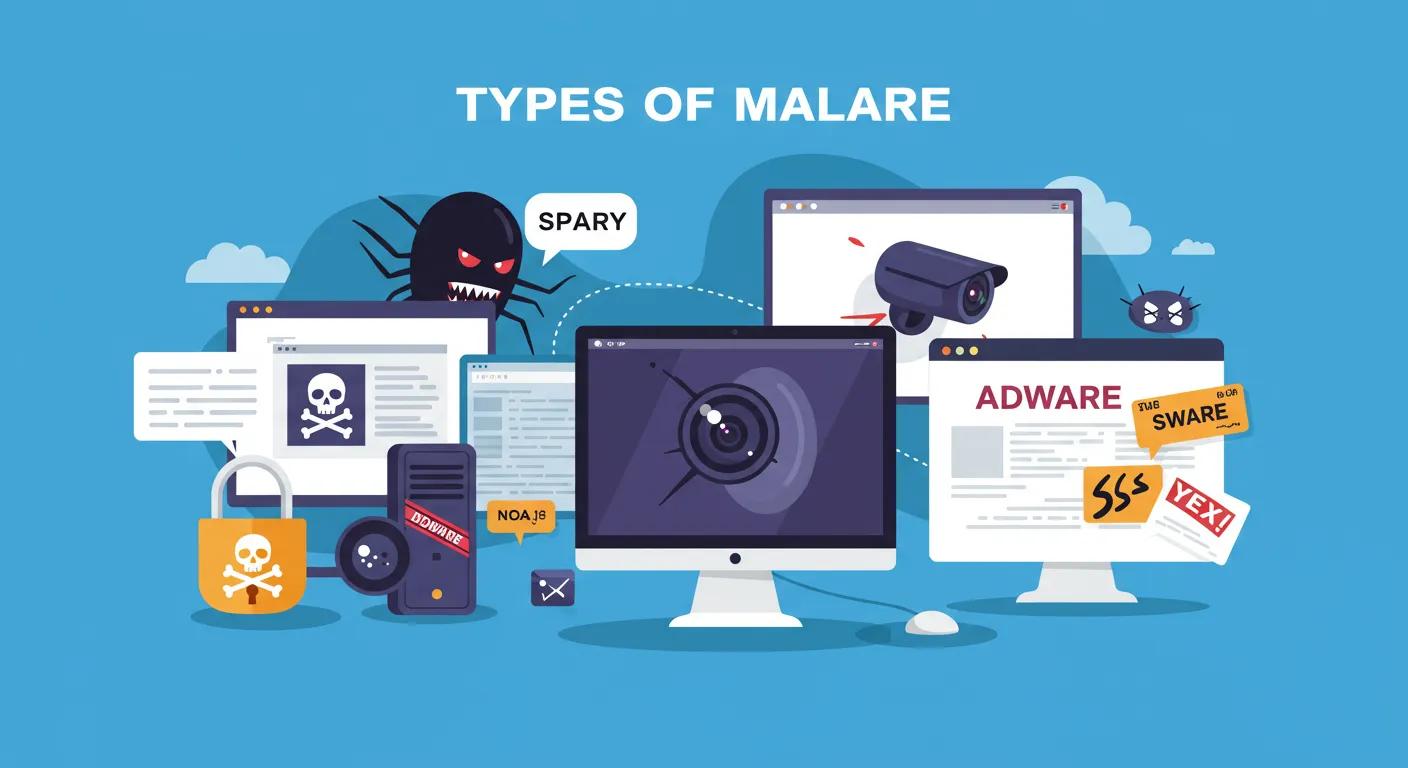
Malware takes several forms, each with distinct behaviour and risks for local users. Ransomware encrypts files and demands payment, posing a major continuity risk for small businesses and residents who rely on local data. Spyware quietly harvests passwords, browsing history and keystrokes, increasing identity-theft risk. Adware and unwanted browser extensions degrade performance and track activity, while rootkits and trojans enable deep system compromise and persistent access. Knowing which type you suspect helps select the correct removal workflow and informs whether urgent isolation or forensic imaging is necessary for recovery.
How Do Viruses Infect Your Computer?
Viruses spread through a handful of common vectors that regional users should recognise and mitigate. Phishing emails with malicious attachments or links remain one of the top entry points, tricking recipients into running code. Malicious downloads from untrusted websites, cracked software, or bundled installers can introduce payloads, while infected USB drives and removable media transfer malware across offline systems. Drive-by downloads exploit outdated browsers or plugins when visiting compromised sites. Immediate steps on suspected infection include disconnecting from networks, stopping use of the device, and avoiding password reuse until containment is confirmed.
What Are the Typical Signs Your PC Is Infected?
Detecting infection early improves recovery outcomes; several symptoms frequently indicate active malware. Unusual slowness, frequent crashes, or high CPU/disk activity without an obvious cause can signal background scanning by malware. Persistent pop-ups, browser redirects to unknown search pages, and unexpected toolbars or extensions suggest adware or browser hijackers. Account lockouts, encrypted files with ransom notes, or new user accounts indicate severe compromise and require professional attention. If multiple symptoms appear together, prioritise containment and backup preservation while preparing diagnostic details to speed professional remediation.
How Does Bizup IT Provide Expert Virus Removal and Cleaning in Murray Bridge?
A reliable removal service follows a clear process: diagnose, isolate, clean, recover data and harden the system to prevent recurrence, with transparent communication at every step. Bizup IT applies a structured workflow delivered via in-store, onsite or remote support, depending on urgency and complexity, and focuses on maintaining data safety while restoring system health. Their approach balances remediation and education so customers understand what happened and how to avoid repeat infections. Below is an outline of the practical steps used during professional virus cleaning and how service modes compare for typical scenarios.
What Is Bizup IT’s Step-by-Step Virus Removal Process?
Bizup IT’s removal process begins with a diagnostic assessment to confirm infection type and scope, followed by controlled isolation of the device from networks to prevent spread. Technicians perform non-destructive imaging or backups before any remediation, then run targeted scans and manual removal tools to eliminate active threats and remove persistence mechanisms. After removal, they restore or decrypt recovered files where possible, apply critical updates and patches, and install or recommend an appropriate antivirus and hardening measures. The process concludes with clear follow-up guidance and a review of actions taken, ensuring customers know the next steps to maintain security.
How Does Bizup IT Protect and Recover Your Data During Virus Cleaning?
Before altering an infected system, Bizup IT creates read-only images or secure backups to protect existing data and preserve evidence for complex recovery work. This imaging enables technicians to attempt safe extraction of intact files, perform offline scanning to avoid further damage, and roll back changes if a remediation step causes instability. For encrypted ransomware cases, Bizup IT assesses recovery options and documents realistic expectations while prioritising data integrity. Customers receive an explanation of what was saved, what could not be recovered, and recommended next steps for backup and continuity planning to reduce future impact.
What Virus Removal Options Are Available: In-Store, Onsite, and Remote Support?
Different circumstances suit different delivery modes: in-store work is ideal for full diagnostics and hardware repairs, onsite visits suit business environments and systems that cannot be moved, and remote support is efficient for urgent scans and lightweight removals. Remote sessions can quickly triage issues and often resolve adware or simple infections, while onsite or in-store services handle complex removals, hardware replacements or extensive data recovery. Remote access relies on secure session tools, strict permissions and customer confirmation before any action, whereas onsite work prioritises physical security and minimal business disruption.
Different removal options have distinct trade-offs and typical timelines:
This comparison helps decide the fastest, most secure option; next, we cover reasons to choose a local specialist for hands-on follow-up.
Why Choose Bizup IT for Virus Cleaning and Hacked Computer Repair in Murray Bridge?
Choosing a local, trusted provider reduces friction during urgent incidents; Bizup IT emphasises accessibility through in-store, onsite and remote options, reliable technicians and transparent advice tailored to regional customers. Their mission-driven approach focuses on providing accessible, reliable and affordable tech repair and support to regional Australian communities, which includes clear service information, store locations and contact pathways for easy access. Local trust matters when data and continuity are at stake, and Bizup IT’s combination of practical service modes and community focus positions them as a convenient choice for Murray Bridge residents who need rapid, expert assistance.
What Makes Bizup IT’s Local Expertise and Support Unique?
Bizup IT’s local presence means technicians are familiar with the specific needs of regional homes and small businesses, including limited on-site IT resources and the high value of quick turnaround. Accessibility through multiple delivery modes—walk-in, scheduled onsite visits and remote support—reduces wait times and gives customers options that match urgency and budget. Bizup IT also emphasises clear communication during every repair, helping customers understand technical steps and recovery outcomes, which builds local trust and reduces uncertainty when devices are compromised.
How Does Bizup IT Ensure Your Digital Safety After Virus Removal?
Post-removal hardening is crucial to prevent reinfection, and Bizup IT implements patch management, secure configuration, antivirus installation and password recovery assistance as part of follow-up support. Technicians recommend multi-layered protection—regular updates, antivirus with real-time protection, and backup routines—while educating customers on phishing awareness and secure habits. For small businesses, Bizup IT outlines simple continuity measures and monitoring steps to reduce downtime, and offers follow-up checks to confirm that hardening measures are effective.
Understanding Our Approach to Service and Support
Bizup IT aims to reduce friction by offering clear diagnostic pathways and an emphasis on value, with options suitable for remote-first triage or in-person restoration when required. A diagnostic assessment clarifies the scope and expected effort before work proceeds, and customers receive an explanation of what’s included so there are no unexpected charges. For many common infections, remote diagnostics are available and can be an efficient first step; more complex restoration or data recovery is provided with an estimate after assessment to ensure transparency and accuracy.
How Can You Prevent Future Virus Infections and Keep Your PC Secure?
Prevention combines good software choices, routine maintenance and user habits that reduce exposure; proactive measures typically deliver more reliable protection than post-infection cleanup alone. Layered defences—up-to-date operating systems, reputable antivirus, frequent backups and phishing resistance training—are key. The following practical lists and a comparison of antivirus options help you select and maintain an effective security posture for home or small business use.
Before diving into software choices, consider these everyday protective practices:
- Keep your operating system and all applications updated with security patches to close vulnerability windows.
- Use strong, unique passwords with multi-factor authentication on important accounts to reduce credential risk.
- Maintain regular backups following the 3-2-1 rule (multiple copies, at least one offsite) to ensure recoverability after an incident.
These fundamentals create a foundation for choosing the right tools described next.
What Are the Best Antivirus Software Options for Australian PCs?
Selecting an antivirus depends on use case: free built-in solutions provide baseline protection, while paid suites add advanced detection, web protection and business features. Microsoft Defender gives robust baseline protection built into current Windows versions and is a solid choice for many home users. Third-party options like Malwarebytes are effective for targeted remediation and layered protection, while full-suite vendors provide centralised management and business support for multi-device environments. Consider detection performance, false-positive rates, impact on system performance and availability of local or regional support when choosing.
Picking a combination—built-in protection plus a focused remediation tool—often balances value and security for regional users.
Which Cybersecurity Practices Should Home Users Follow?
Simple, consistent habits produce high security returns with minimal effort and should be adopted by all household members. Use password managers to generate and store unique passwords, enable two-factor authentication for email and cloud services, and avoid installing software from unknown sources. Limit administrative rights on day-to-day accounts and regularly review installed applications for unexpected changes. These practical steps reduce the chance of compromise and make automated detection tools more effective.
How Important Is Regular Data Backup and Recovery Planning?
Backups are the single most reliable defence against ransomware and catastrophic data loss; a tested backup strategy shortens recovery time and lowers repair costs. Use a mix of local and cloud backups, schedule frequent incremental backups for active files and perform periodic restore tests to ensure backups are usable. For small businesses, document recovery steps and ensure backups are isolated from daily network access to avoid encryption by ransomware. Regular testing of recovery procedures ensures confidence and reduces downtime in a real incident.
How Can You Protect Yourself Against Phishing and Online Scams?
Phishing prevention hinges on recognition and cautious response; train yourself and family members to spot red flags and act carefully with unsolicited requests. Common red flags include unexpected requests for passwords, generic greetings, mismatched sender addresses, urgent language demanding action, or attachments from unknown senders. If you suspect phishing, do not click links or provide credentials—verify via a separate known contact method and report suspicious messages through platform reporting tools. Prompt reporting and credential resets reduce the chance of lateral compromise.
What Related Tech Services Does Bizup IT Offer to Support Your PC’s Health?
Virus cleaning often uncovers additional opportunities to improve system performance and resilience; complementary services include tune-ups, hardware repairs and small-business IT support. These services restore responsiveness, replace failing storage, and implement better backup routines to reduce future risk. Bizup IT’s local offering emphasises accessible support options across in-store, onsite and remote modes with practical recommendations that align with regional customer needs.
How Can Computer Tune-Ups Improve Your PC’s Performance After Virus Cleaning?
A tune-up addresses residual performance issues by cleaning temporary files, removing unnecessary startup items, updating drivers, and verifying disk health. These tasks reduce boot times and resource contention, improving day-to-day responsiveness after malware removal. Technicians can also recommend lightweight configuration changes and minor hardware upgrades when software optimisation reaches its limits, providing an efficient path to renewed usability.
What Laptop and Desktop Repair Services Are Available in Murray Bridge?
Following an infection that reveals failing hardware, common repair services include storage replacement, RAM upgrades, and component diagnostics to ensure long-term stability. Replacing old hard drives with faster solid-state storage commonly improves performance and reliability, while hardware checks validate that no damage occurred during infection events. Turnaround varies by part availability and diagnostic complexity, but local in-store options simplify logistics for regional customers.
How Does Bizup IT Support Small Business IT Needs in Murray Bridge?
Small businesses benefit from a focus on continuity: device fleet checks, scheduled backups, on-site support and basic security audits to reduce downtime and exposure. Bizup IT helps implement pragmatic, budget-aware measures like centralised backup policies, periodic maintenance visits and rapid-response options for urgent incidents. These services are designed to limit operational disruption and keep critical business systems available.
Getting Started with Virus Cleaning at Bizup IT Murray Bridge
A clear first step is a diagnostic assessment that clarifies the effort and options before committing to full restoration. Bizup IT encourages a remote-first diagnostic approach where appropriate, offering an initial assessment to determine whether remote remediation is feasible or an in-person visit is required. After diagnosis, technicians provide a detailed estimate explaining what is included, helping customers make informed decisions about repair, recovery and preventative upgrades.
Understanding the scope of work is key. We provide an assessment to clarify the effort involved and potential hardware costs, so you’ll have a clear understanding before any work begins. This ensures transparency and helps you make informed decisions about your repair, recovery, and any preventative upgrades.
How to Get Started with Your Virus Removal Service
Booking starts with describing the device, symptoms and preferred service mode so technicians can prioritise urgent cases and advise on next steps. Prepare device model, operating system, recent changes and a list of symptoms or error messages before contacting support to speed triage. Remote sessions typically require scheduling a secure connection window, while in-store drop-offs and onsite visits are arranged to suit business hours and urgency.
- Prepare device details and a brief symptom summary.
- Contact us to discuss your issue and preferred service option (remote, in-store, or onsite).
- We’ll provide an assessment and a clear estimate before any work proceeds.
These simple steps help ensure efficient, transparent remediation and reduce downtime for households and businesses.
What Do Murray Bridge Customers Say About Bizup IT’s Virus Cleaning Services?
Local customers commonly praise fast response, clear communication and practical outcomes—rapid symptom resolution, recovered files where possible, and straightforward advice to prevent reoccurrence. Anonymised accounts emphasise appreciation for a local team that offers both remote triage and hands-on repairs, underlining the value of accessible support in regional communities. These patterns of feedback reinforce Bizup IT’s focus on delivering reliable, affordable and community-oriented tech repair options.
Which Local Success Stories Highlight Bizup IT’s Virus Removal Expertise?
One anonymised example involved a small home office hit by ransomware where technicians imaged the drive, recovered unencrypted files from backups and restored productivity with minimal data loss. Another local case resolved persistent adware across multiple family devices through layered cleaning, browser resets and user education that prevented re-infection. These examples show how combining technical remediation with customer education reduces recurrence and shortens recovery time, illustrating the practical benefit of local expert support.
How Do Customer Reviews Reflect Bizup IT’s Reliability and Service Quality?
Review themes consistently highlight quick diagnostics, transparent explanations and flexible delivery modes—remote, in-store and onsite—that suit different customer needs. Customers appreciate technicians who clarify what was done and why, and who recommend realistic, affordable follow-up measures. Recurring praise for local accessibility and practical outcomes aligns with Bizup IT’s mission to provide accessible, reliable and affordable tech repair and support to regional Australian communities, helping to build trust and encourage timely action when infections occur.