
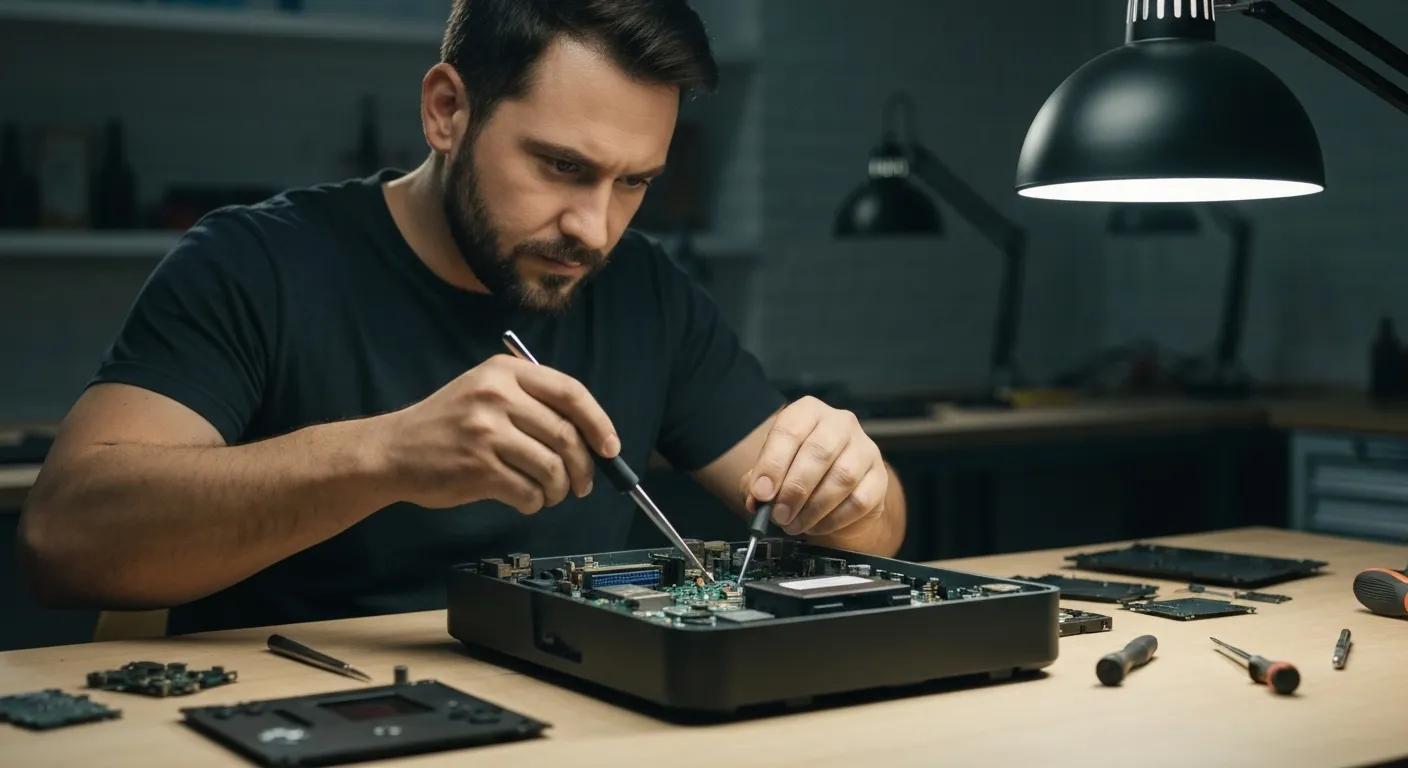
Expert Gaming Console Repair in South Broken Hill: Get Back in the Game
Is your PlayStation, Xbox, or Nintendo Switch giving you grief in South Broken Hill? Don’t let a faulty console sideline your gaming fun. This guide breaks down what you need to know about getting your gear fixed locally. We’ll cover common issues, how they’re diagnosed and resolved, and what to expect regarding typical timeframes and our dedication to quality for our regional customers. Our focus is on practical, straightforward advice: which consoles we handle, how specific problems are fixed, and the repair process. We’ll also touch on mail-in options for those further afield and how Bizup IT provides specialised, local expertise for your console diagnostics and repairs. Read on for model lists, quick fixes, clear information on what to expect, and how to book your repair with confidence.
Which Gaming Consoles Do We Service in South Broken Hill?
Here’s a look at the consoles we commonly service, why it matters which models we support, and the advantages of having local repair options. Our ability to service specific consoles depends on parts availability and technician expertise, but we prioritise modern platforms to ensure faster repairs with quality components. Knowing which devices we can fix helps you choose the best service option—local drop-off, mail-in, or remote troubleshooting—and helps set realistic expectations for parts and repair duration. Check out the quick overview below, mapping common consoles to typical issues and expected repair times.
The table below outlines the main console families, the common problems we see, and our typical repair timeframes.
This quick table shows which consoles we typically repair locally and how repair timeframes can vary based on parts availability, especially for older systems. Understanding these timeframes helps you plan your mail-in or drop-off strategy.
PlayStation Models We Repair Locally
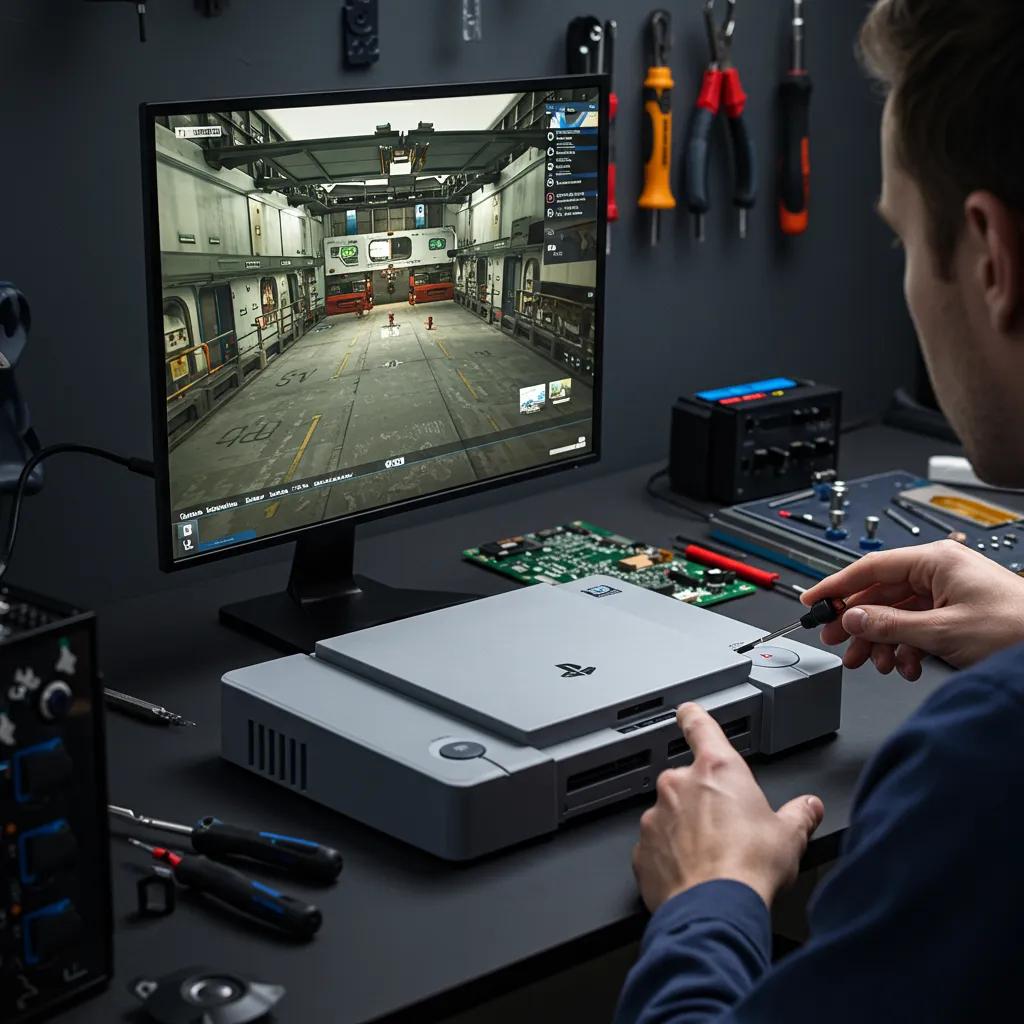
We generally service current and recent PlayStation models, with our technicians skilled in diagnosing both hardware and software issues. Common PlayStation problems include HDMI port damage, overheating, disc drive failures, and power supply issues, each requiring specific repair techniques. Local repairs offer the advantage of on-site testing and module swaps, aiming for your console to function correctly after service. For our regional customers, Bizup IT provides local, remote, and even onsite service options to help diagnose your PlayStation accurately and complete repairs efficiently.
Xbox Consoles Supported for Repair
Our repair services cover the latest Xbox Series X/S models, as well as the previous Xbox One and 360 generations. We address common faults such as power failures, HDMI output issues, and disc drive malfunctions. Our technicians use methodical diagnostic processes to pinpoint whether the problem lies with the power supply unit or internal components, determining whether a component-level repair or a module replacement is needed. Local service reduces transit delays and allows for thorough functional testing before your console is returned. Bizup IT applies the same diagnostic workflow to Xbox consoles for regional customers, offering drop-off, mail-in, and on-site repair options depending on the issue and parts availability.
Servicing Your Nintendo Switch and Retro Consoles
For the Nintendo Switch, we focus on fixing Joy-Con drift, worn charging ports, and dock connectivity issues. Switch Lite and OLED models often require battery or port servicing. Joy-Con drift is typically resolved by replacing the analog stick module or through precise cleaning and recalibration. Dock HDMI problems might need a connector or board-level repairs. Servicing retro consoles requires expertise in sourcing older parts and managing longer lead times; our technicians will discuss repair feasibility and expected timeframes during the diagnostic phase. Bizup IT can handle common Switch repairs with local parts and will manage retro console projects with clear communication regarding parts sourcing and expected repair timeframes.
Most Common Gaming Console Problems in South Broken Hill
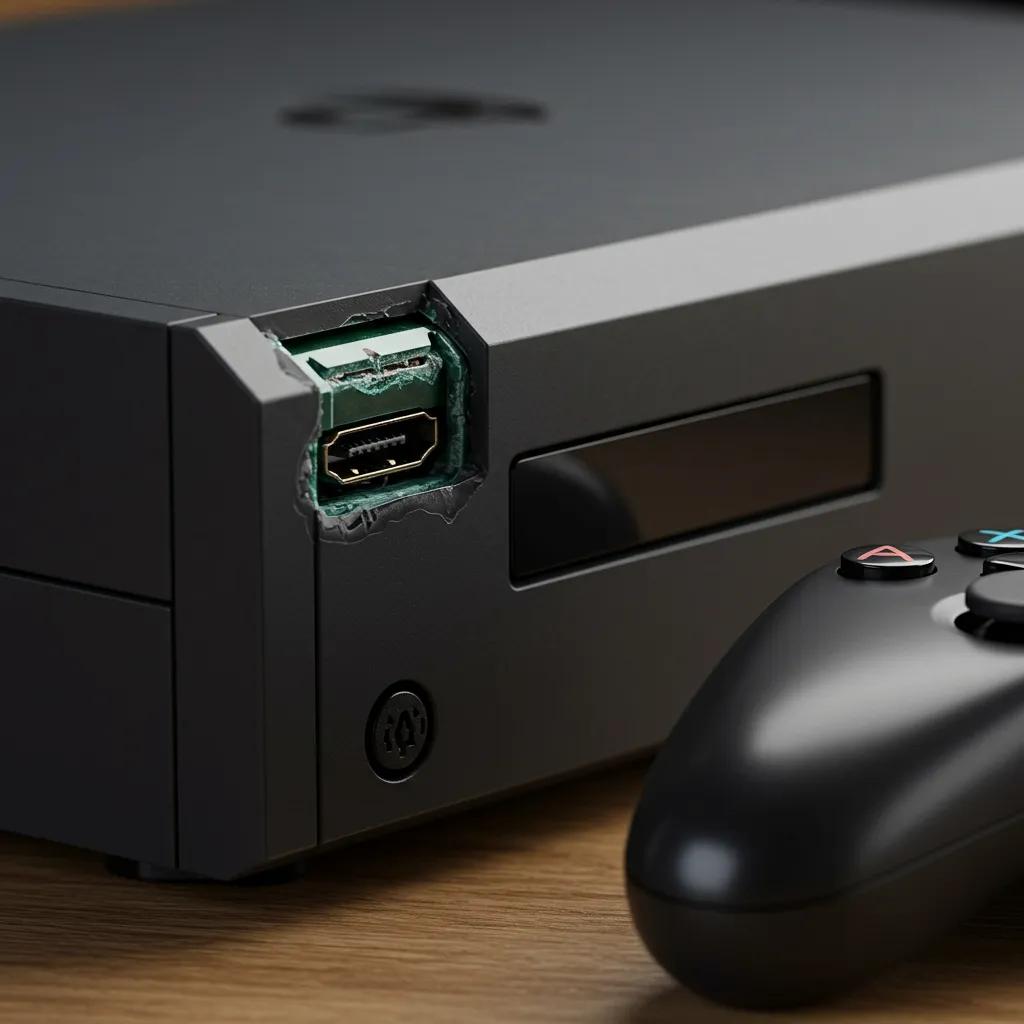
We frequently see four main types of problems reported by gamers in South Broken Hill. Identifying these quickly saves you time and hassle. These issues often stem from physical wear, heat stress, or accidental damage, and each has a standard diagnostic and repair procedure. Here’s a quick rundown of the top problems and simple steps you can take before seeking professional help.
The top four issues and their one-line fixes are:
- HDMI/No Video: Replace or reflow the HDMI connector to restore video output.
- Controller Drift: Replace the analog stick module or perform precise cleaning and recalibration.
- Power Failures: Diagnose the power supply unit and internal fuses; repair or replace the faulty component.
- Overheating: Clean vents, replace fans, and reapply thermal paste to restore cooling efficiency.
These quick fixes give you an idea of potential repairs and whether DIY troubleshooting is safe. For HDMI and power issues, professional diagnostics are highly recommended to avoid causing further damage. The next table maps typical problems to symptoms and our usual resolution methods to help you decide.
This table helps you match observed symptoms to likely repair actions and expected outcomes, so you can decide whether to arrange a diagnostic or attempt safe, simple checks at home.
Identifying and Fixing HDMI Port Damage on Consoles
HDMI port damage usually shows up as no video, an unstable signal, or a visibly damaged port, often caused by repeated cable stress or accidental impacts. Our technicians inspect the port, test for continuity, and determine if the issue is mechanical or requires board-level work. Repairs can range from replacing the HDMI connector to intricate soldering and testing with known good cables and displays. For consoles with damaged HDMI ports, a replacement part aims to restore reliable output, and post-repair testing helps confirm stable audio and video performance. If you suspect HDMI damage, avoid forcing cables and gather diagnostic details (model, when the issue started) before arranging professional service.
Causes and Repair of Controller Drift
Controller drift occurs due to wear in the analog stick’s internal components, contamination, or degraded sensor assemblies, leading to gradual, unintended movement. Repair options include careful cleaning where appropriate, or replacing the entire stick module and performing software calibration to ensure accuracy. While some temporary DIY calibration methods exist, professional repairs involve replacing the worn module and verifying full range of motion to prevent recurring drift. For regional customers, sending controllers with a clear description of the symptoms speeds up diagnosis and ensures the correct replacement parts are ordered.
Diagnosing and Resolving Power Supply Failures
We diagnose power failures by distinguishing between external power supply issues and internal board faults through voltage testing and careful disassembly. This involves checking fuses, solder joints, and visible damage. Our technicians follow strict safety protocols to measure input/output voltages, inspect capacitors, and test regulator circuits to determine if a component-level repair or a power supply unit replacement is needed. Solutions might include replacing the external adapter, swapping internal fuses, or repairing power rails on the motherboard, followed by functional testing under load to ensure stability. Because power-related work carries a risk of further damage, professional diagnostics are strongly recommended over extensive home troubleshooting.
Signs of Overheating and How Bizup Fixes Them
Signs of overheating include sudden shutdowns, excessively loud or constant fan noise, graphical glitches, and reduced performance under load. These are often caused by dust accumulation, fan failure, or degraded thermal paste. Our technicians perform thorough internal cleaning, replace faulty fans, inspect heat sinks, and renew thermal paste to restore proper heat transfer, followed by stress testing to confirm stable operating temperatures. We also offer advice on improving ventilation and avoiding blocking vents with soft surfaces to help prevent recurrence. Bizup IT applies the same cooling and thermal repair practices in our regional service workflows, combining cleaning with tested part replacements to ensure lasting results.
Why Choose Bizup for Gaming Console Repair in South Broken Hill?
Choosing a regional specialist is crucial because local knowledge, efficient logistics, and clear service communication minimise risk and speed up repairs for customers outside major centres. Bizup IT provides regional Australians with straightforward information about our services, store locations, and contact methods. We offer fast, reliable repairs for phones, tablets, and computers, utilising an in-store, remote, and on-site service model. For gaming consoles, Bizup focuses on transparent diagnostics, providing a clear understanding of what’s involved before any work begins, and offering options tailored for regional customers, such as mail-in services and onsite visits where feasible. These advantages make local repair a practical alternative to national mail-only services when you need dependable, accountable fixes.
Here are the key reasons why regional gamers often choose a local repair partner like Bizup IT:
- Local presence and regional understanding lead to quicker turnarounds and better communication.
- Multiple service channels (in-store, remote triage, and onsite) offer flexibility for rural customers.
- Transparent diagnostics and a clear approach to discussing options help prevent surprises.
These benefits highlight why combining a local presence with mail-in and remote options is ideal for regional customers, leading naturally into our typical repair timeframes and our dedication to quality service.
How Bizup’s Local Expertise Benefits Regional Gamers
Our local expertise shortens communication lines and enables faster troubleshooting, as technicians can perform hands-on tests and immediate repairs when parts are readily available. Regional gamers benefit from flexible service choices—drop-off, mail-in, or scheduled onsite visits—that accommodate travel and shipping constraints. Our technicians, familiar with regional shipping realities, can set realistic expectations. This familiarity reduces administrative hassle and helps customers select the quickest, most effective repair path. Bizup IT’s regional service model prioritises clear information about all options, empowering customers to choose the best approach for their location and urgency.
Typical Repair Timeframes for Consoles
Repair timeframes depend on the complexity of the diagnostics, parts availability, and the specific fault. Generally, diagnostics take a day or two, common repairs are often completed within a few business days, and repairs requiring rare parts or retro components may take longer. Simple component swaps, like Joy-Con modules or fan replacements, are often completed quickly. Board-level repairs or special part orders can extend these timeframes. Seasonal demand and inter-regional shipping schedules can also impact scheduling, so our technicians provide a realistic estimate at the assessment stage. Bizup IT communicates expected timeframes during diagnostics, allowing customers to plan for collection or return shipping.
Quality Parts and Our Dedication to Quality Service at Bizup
We believe in using quality parts and taking pride in our workmanship. We use reliable replacement modules and aim for a high standard in our repairs. Our standard practice includes clear service guidelines, outlining what our service covers and the process for any follow-up discussions. We stand by the care we take and the components we replace, though this doesn’t extend to new accidental damage or issues that arise after the repair is completed. Bizup IT promotes transparent service policies and parts practices as part of our regional offering, aiming to give customers confidence in their repairs.
Transparency and Our Approach to Discussing What’s Involved at Bizup
We believe in a transparent approach to discussing what’s involved, helping regional customers understand their options without surprises. Our method involves a diagnostic-first policy, with a clear assessment followed by a detailed discussion of the proposed work. We aim to provide a straightforward understanding of the investment required, and our final recommendations are always based on thorough diagnostics. This method supports informed decision-making. Bizup IT follows a diagnostic-first workflow that prioritises transparency, allowing customers to proceed with repairs only after fully understanding the parts and timeframe implications.
The Gaming Console Repair Process at Bizup
A reliable repair process follows a predictable sequence: booking, diagnostics, agreement, repair, and post-repair testing, all with a focus on quality service. This system ensures every repair is traceable, agreed upon, and validated before it’s returned to the customer, reducing the likelihood of repeat issues and improving overall satisfaction. Here’s a concise, step-by-step process for regional customers to get their console repaired efficiently and confidently.
- Book your repair by contacting us and providing your console model and symptoms.
- Drop off your console, schedule a mail-in, or request onsite/remote triage as appropriate for your location.
- Our technician will perform diagnostics and provide a clear understanding of the proposed work for your consideration.
- Upon your agreement, the repair will be completed, tested under load, and the device returned with repair documentation.
This clear process outlines expectations and defines the roles of each party, with diagnostics serving as the crucial first step before any parts are ordered or work commences.
Simple Steps to Book a Repair in South Broken Hill
Booking a repair typically requires a few key details and a choice of service channel. We’ll ask for your console model, a clear description of the symptoms, and your preferred service type (drop-off, mail-in, or onsite). After initial contact, we’ll schedule diagnostics or provide remote triage instructions if the issue appears software-related. Customers then consider the proposed work before it proceeds, and repairs are tracked through completion, with testing and repair documentation provided upon handover. Providing detailed symptom notes and model information speeds up the diagnostic process and minimises follow-up questions.
Accessing Remote Support or Onsite Repair Services
Remote support allows our technicians to triage software issues, guide safe resets, and identify hardware symptoms that require in-shop attention. This can prevent unnecessary travel for common, easily resolved problems. Onsite service is ideal for larger equipment or when mobility is a concern, while mail-in is often the most convenient option for regional customers when parts can be shipped securely. Each option has its trade-offs: remote triage is fastest for simple fixes, mail-in offers convenience but adds shipping time, and onsite provides hands-on service but may be limited by technician availability. Bizup IT supports all three channels to meet regional needs and streamline the repair process.
How Bizup Handles Diagnostics and Repair Discussions
Our diagnostics involve a combination of visual inspection, test equipment checks, and functional testing to pinpoint the fault and identify the necessary parts and labour. Our technicians then prepare a clear discussion of the proposed work. Customers receive this information for consideration before any work begins, ensuring clarity and allowing for informed decisions if desired. After agreement, the repair proceeds with regular status updates and final validation tests to confirm the issue is resolved. This diagnostic-first approach helps regional customers plan effectively for repairs and decide whether repair or replacement is the best option.
Understanding What’s Involved and Our Dedication to Quality for Console Repairs in South Broken Hill
A transparent approach to discussing what’s involved and our dedication to quality service aims to remove uncertainty for regional customers planning repairs and postage. Below is a general overview of repair types and our dedication to quality to help set expectations; detailed information will follow diagnostics, but this can guide your decision. This section clarifies typical repair types, what to expect regarding the investment, and the standard of care you can anticipate from a reputable regional supplier.
Understanding What’s Involved for PS5 or Xbox Repairs in South Broken Hill
The investment for a PS5 or Xbox repair depends on the specific fault. Repairs involving HDMI and board-level work typically require more precision and specialised parts, while controller and cooling system repairs are generally more straightforward. We aim to provide a clear understanding of what’s involved, and our technicians always perform diagnostics first to ensure accurate information. For regional customers, mail-in logistics may involve postage costs. Our diagnostic-first approach minimises surprises by providing a clear assessment before any work is agreed upon.
Our Dedication to Quality Service
We take pride in our workmanship and the parts we replace. This means if an issue arises directly from our service, we’ll work with you to sort it out, but it doesn’t extend to new accidental damage or issues that arise after the repair is completed. If you have any concerns, we’ll ask you to return the device so we can inspect it and discuss the issue. We’re upfront about our dedication to quality service and how to get in touch if you have any questions after your repair, aiming for a smooth experience for our regional customers. Reputable providers supply written service details upon completion of the repair.
Mail-In Repair Options for Regional Customers
Mail-in repairs are a primary service for regional customers. The process involves secure packaging, tracked postage, technician diagnostics upon receipt, and clear return shipping, often with insurance options. We advise customers to document the console’s condition before shipping and to use tracked, insured post to protect its value during transit. Repair timeframes for mail-in repairs include transit time plus diagnostics and parts lead time, so planning for shipping days both ways is essential for setting realistic expectations.
The mail-in repair workflow typically follows these steps:
- Securely package the console with a brief symptom description and your contact details.
- Ship using a tracked and, if desired, insured service to our repair centre.
- We will confirm receipt, perform diagnostics, and provide you with a clear understanding of the proposed work for your consideration.
- Upon your agreement, we complete the repairs, test the console, and return it with repair documentation.
This clear mail-in process ensures regional customers understand their responsibilities for postage and provides traceable steps from shipment to return.
Where to Find Reliable Gaming Console Repair Services Near Me in South Broken Hill
Finding reliable local repair services involves confirming service options, repair channels, and whether the provider clearly explains diagnostics, what’s involved, and their dedication to quality service. Bizup IT connects regional Australians with expert tech repairs and support, offering clear information on services, store locations, and contact details. We provide fast, reliable repairs for phones, tablets, and computers through in-store, remote, and onsite options. For gaming consoles, Bizup operates as a regional specialist with the workflows described above, enabling local drop-offs, mail-ins, and remote triage as appropriate for South Broken Hill customers. Use the guidance in this article to prepare your console for repair and choose the service channel that best suits your urgency and location.
Here’s a short list of actions you can take to find and select a reliable local repair partner:
- Look for clear diagnostic policies and a transparent approach to proposed work before booking.
- Verify that the provider details parts sourcing, their dedication to quality service, and mail-in logistics.
- Choose a repairer who offers multiple service channels to accommodate regional constraints.
These selection criteria help you evaluate providers and prioritise options that reduce risk and lead to faster, more transparent repairs.
Bizup’s Contact Details and Service Hours
Bizup IT’s public information outlines our role as a regional tech repair and support provider, offering in-store, remote, and on-site services, along with clear service descriptions and booking channels. For specific contact details and current service hours, please consult Bizup IT’s official information directly to confirm the best way to reach our regional team and book diagnostics. Preparing your console model and symptom details in advance will speed up the initial exchange and help our technicians provide an accurate estimate of the next steps.
How to Book a Repair
To book a repair, please have basic information ready, such as your console model, observed symptoms, preferred service method (drop-off, mail-in, or onsite), and any error codes or recent events that may have led to the failure. Submitting this information through our booking channel will trigger diagnostics scheduling or remote triage. Our transparent diagnostic-first approach ensures you receive a clear understanding of the proposed work for your consideration before any work begins. Please expect response times aligned with regional workflows and allow for shipping time if mail-in service is selected.
What Local Customers Say About Bizup’s Console Repairs
Local customers often highlight clear communication, realistic timeframe estimates, and the convenience of multiple service channels when assessing regional repair providers. Collecting and reviewing local testimonials and case studies that focus on repair outcomes, parts quality, and service handling provides the best evidence of consistent service quality. If local reviews are not yet available for your specific area, feel free to ask the provider for references or examples of similar regional repairs to build confidence before committing to a repair path.
Frequently Asked Questions
What should I do if my console is still under manufacturer support?
If your gaming console is still under its manufacturer’s support period, we recommend contacting the manufacturer or the retailer where you purchased it before seeking third-party repair services. Most manufacturers have specific procedures for support claims, which may involve sending the console to their designated service centre. Attempting repairs yourself or through an unauthorised provider could potentially impact your manufacturer’s options. Always review the manufacturer’s support terms and conditions to understand your options.
Can I attempt any console repairs myself?
While some minor tasks, like cleaning dust from vents or replacing controller batteries, can be done at home, most internal repairs are best left to professionals. Opening your console yourself can impact future support options and potentially lead to further damage if not performed correctly. For any suspected internal issues, it’s advisable to consult a qualified technician for safe and effective diagnosis and repair.
How can I prevent common gaming console issues?
To prevent common gaming console problems, ensure proper ventilation by keeping the console in a well-aired space and avoiding placement on soft surfaces that can block airflow. Regularly clean dust from vents and fans, and avoid prolonged, intensive use to prevent overheating. Using surge protectors can also safeguard against power surges that might damage internal components. Following these practices can significantly extend your console’s lifespan.
What are the signs that my console needs professional repair?
Signs that your console may require professional repair include frequent crashes, failure to power on, unusual noises, overheating, and issues with video output, such as no signal or flickering screens. Controller drift or connectivity problems are also indicators that professional assistance might be needed. Addressing these symptoms early can prevent further damage and ensure your gaming experience remains uninterrupted.
Are there any risks associated with mail-in repairs?
Mail-in repairs do carry some risks, such as potential damage during transit or loss of the console. To minimise these risks, it’s crucial to package your console securely and use a reputable shipping service that offers tracking and insurance. Documenting the console’s condition before shipping and removing any personal data or storage media is also recommended. Choosing a trusted repair service with a clear mail-in process can help ensure a smooth experience.
What should I include when sending my console for mail-in repair?
When sending your console for mail-in repair, include a detailed note describing the symptoms and any troubleshooting steps you’ve already taken. This information helps our technicians diagnose the issue more efficiently. Ensure the console is securely packaged to prevent transit damage. It’s also advisable to remove any personal data or storage media to protect your information during the repair process.
How can I track the status of my repair?
Most reputable repair services offer a tracking system or provide regular updates on your repair status. After you send your console, you should receive confirmation of receipt and an estimated timeline for diagnostics and repairs. If you have any questions or need updates, don’t hesitate to contact the repair service directly. They should be able to provide you with the latest information on your console’s repair status.
Typical Console Repair Duration
A typical repair timeline includes diagnostics within 24–48 hours, followed by a few business days for common repairs. Longer periods may apply for retro consoles or specialised parts. Repair timeframes are influenced by parts availability, shipping times for mail-in services, and diagnostic complexity. Our technicians provide an initial estimate upon completing diagnostics. Please allow for additional time during peak seasons and for inter-regional logistics when planning your repair.
Can Bizup Fix Both New and Retro Gaming Consoles?
We routinely service current-generation consoles and many legacy systems. However, retro console repairs may require longer parts sourcing times and more specialised work. While modern consoles often benefit from readily available replacement modules, retro systems sometimes need new-old-stock parts or board-level refurbishment, which can extend repair times and affect feasibility. Discuss your expectations and timeframes during diagnostics to determine the best approach for your retro hardware.
What to Do If Your Console Shows the “Red Ring of Death”?
If you encounter a “Red Ring of Death” or a similar critical hardware failure, power down the unit immediately and avoid repeated power cycles to prevent further component stress. Arrange for professional diagnostics promptly. Our technicians will assess whether the fault is repairable through methods like board reflow or component replacement and provide a realistic estimate comparing repair options. Seeking professional repair early often yields a better outcome than prolonged home attempts that may exacerbate underlying issues.
Does Bizup Offer Diagnostic Assessments Before Repair?
Yes, responsible providers separate diagnostics from repair work, offering a clear assessment before commencing any repairs. Diagnostics typically include functional testing, visual inspection, and test-bench checks to identify the root cause. Following this, a clear understanding of the proposed work and estimated timeframe are provided for your consideration. This approach helps prevent surprises and allows customers to make an informed decision about proceeding with the repair.
Conclusion
Choosing reliable gaming console repair services in South Broken Hill ensures your PlayStation, Xbox, or Nintendo Switch is restored to optimal performance with minimal downtime. With transparent diagnostics, flexible service options, and a dedication to quality service, Bizup IT stands out as a trusted local partner for all your gaming needs. By understanding common faults and repair processes, you can make informed decisions that enhance your gaming experience. Contact us today to explore our services and get your console back in action!