

Computer Virus Cleaning Griffith: Expert Virus Removal, Data Protection & Recovery Services
In today’s digital landscape, computer viruses pose significant threats to individuals and businesses alike. Understanding how to effectively clean these viruses and protect your data is crucial for maintaining the integrity of your electronic devices. This content focuses on essential services for computer virus cleaning in Griffith, highlighting virus removal, data protection strategies, and recovery options. You will learn about the various types of malware that can infect devices, the symptoms to watch for, and the best practices for safeguarding data against future attacks. Additionally, we explore the services offered by Bizup, an Australian-based IT support company, to help you navigate these challenges effectively.
What Virus Removal Services Does Bizup Offer in Griffith?
Bizup provides a comprehensive range of virus removal services tailored to meet the needs of individuals and small businesses in Griffith. Their offerings include:
- Phone Virus Repair: Specialised services to address mobile device infections. This includes diagnosing and removing viruses that affect smartphones and tablets, ensuring your mobile devices remain secure and functional.
- Computer Virus Cleaning: Thorough cleaning processes to eliminate malware from PCs and laptops. Bizup uses advanced tools to detect and remove viruses, spyware, ransomware, and other malicious software that can compromise your computer’s performance and security.
- Remote Support: Convenient assistance for virus removal without the need for in-person visits. This service allows technicians to securely access your device remotely, diagnose issues, and perform virus removal efficiently, saving you time and hassle.
- On-Site Support: Technicians available to provide hands-on help at your location. For more complex infections or hardware-related issues, Bizup’s experts can visit your home or office to perform comprehensive virus cleaning and system checks.
- Malware and Spyware Removal: Targeted solutions to remove harmful software that compromises device security. Bizup ensures that all forms of malware, including spyware that tracks your activities, are completely eradicated to protect your privacy and data.
These services ensure that users can regain control of their devices and protect their sensitive information from malicious threats. Bizup’s tailored approach means that whether you are an individual user or a small business, you receive the appropriate level of support to keep your systems safe and operational.
How Does Bizup Perform Computer Virus and Malware Removal?
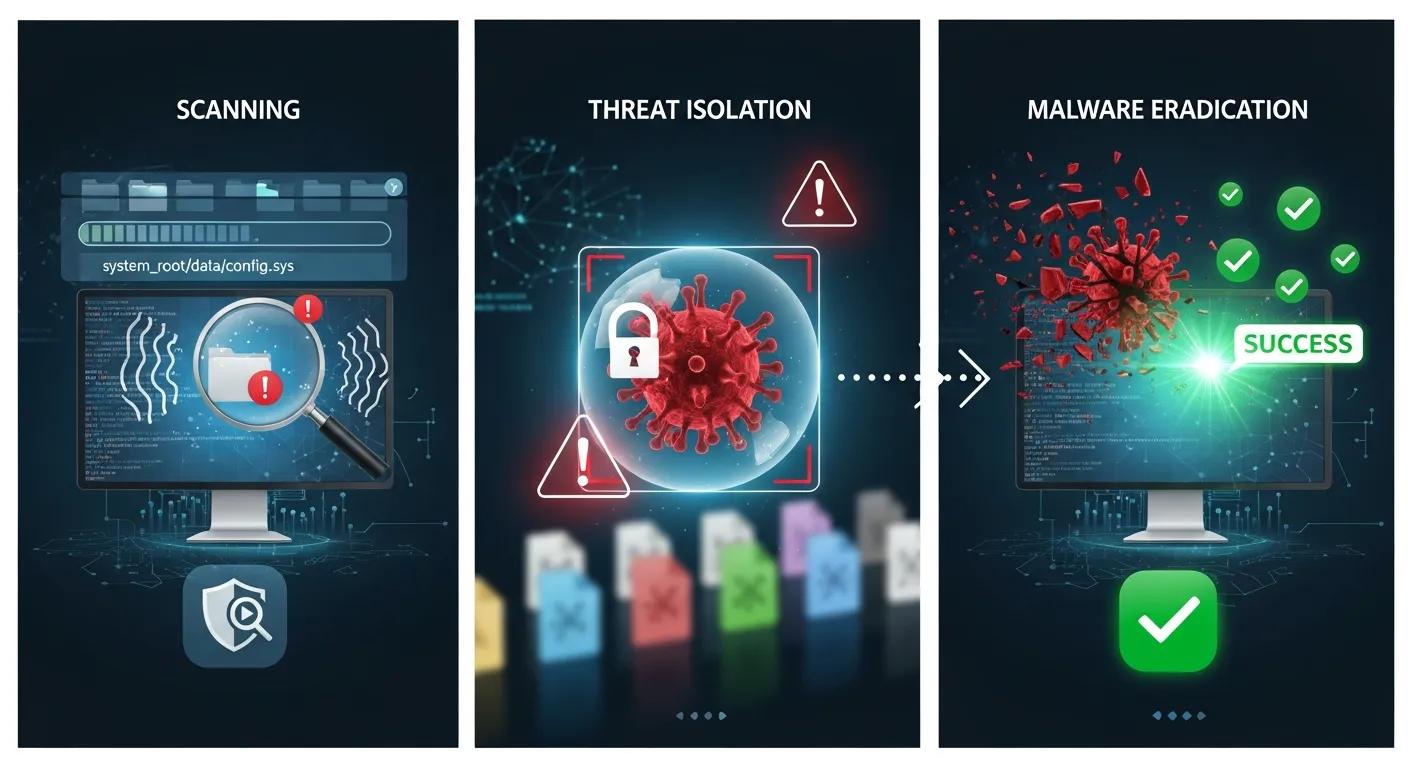
The virus removal process at Bizup involves several critical steps to ensure thorough cleaning and protection:
- Initial Diagnosis: Technicians assess the device to identify the type and extent of the infection. This includes evaluating system behaviour, error messages, and running preliminary scans to pinpoint the malware.
- Deep Scanning: Advanced scanning tools are employed to detect hidden malware and vulnerabilities. These tools go beyond surface-level checks to uncover deeply embedded threats that may evade standard antivirus software.
- Threat Isolation: Infected files are isolated to prevent further damage to the system. By quarantining these files, Bizup ensures that the malware cannot spread or cause additional harm during the removal process.
- Malware Eradication: The identified threats are removed using specialised software. This step involves deleting or neutralising malicious code, repairing affected system files, and removing any residual components.
- System Optimisation: Post-removal, the system is optimised to enhance performance and security. This includes cleaning temporary files, updating software, patching vulnerabilities, and configuring security settings to prevent reinfection.
This systematic approach not only removes existing threats but also fortifies the device against future attacks. Bizup’s technicians stay updated with the latest malware trends and removal techniques to provide effective and reliable service.
The evolving sophistication of malware necessitates advanced detection methods beyond traditional signature-based approaches. Bizup incorporates behavioural analysis and heuristic scanning to identify new and unknown threats, ensuring comprehensive protection for your devices.
Which Types of Computer Viruses and Malware Affect Griffith Devices?
Devices in Griffith are susceptible to various types of malware, each with unique characteristics and impacts. Understanding these threats is essential for effective prevention and response.
- Viruses: Malicious software that replicates itself and spreads to other files and systems. Viruses can corrupt data, slow down systems, and cause crashes.
- Spyware: Software that secretly monitors user activity and collects personal information. Spyware can lead to privacy breaches and identity theft if not detected and removed promptly.
- Ransomware: A type of malware that encrypts files and demands payment for their release. Ransomware attacks can cripple businesses and individuals by locking access to critical data.
- Adware: Software that displays unwanted advertisements, which can sometimes lead to further infections. While often less harmful, adware can degrade user experience and introduce security risks.
- Trojans: Malicious programs disguised as legitimate software, which can create backdoors for attackers. Trojans often facilitate further malware installation or data theft.
- Worms: Self-replicating malware that spreads across networks without user intervention. Worms can cause widespread damage by consuming bandwidth and corrupting files.
Recognising these types of malware helps users understand the risks and take appropriate measures to protect their devices and data.
What Are Common Virus Symptoms and Malware Types?
Identifying the symptoms of a malware infection is crucial for timely intervention. Common signs include:
- Unexpected Pop-ups: Frequent and intrusive advertisements that disrupt normal usage. These pop-ups may also prompt users to download fake software or reveal personal information.
- Significant Slowdowns: Noticeable lag in system performance, indicating potential infections. Malware often consumes system resources, causing delays and unresponsiveness.
- Frequent Crashes: Regular system crashes or application failures that can signal underlying issues. These crashes may occur during startup, when opening files, or while running specific programs.
Recognising these symptoms early can help users take swift action to mitigate damage. Prompt virus cleaning and system checks can prevent data loss and further system degradation.
How Can Data Protection and Backup Solutions Prevent Virus Damage?
Implementing robust data protection and backup solutions is vital for safeguarding against the repercussions of virus infections. Regular backups ensure that critical data can be restored in the event of an attack, minimising potential losses.
Indeed, the reliance on data in the digital age makes robust backup and disaster recovery planning essential for business continuity and resilience. Without proper backups, recovering from a virus attack can be costly and time-consuming.
- Regular Backups: Consistent data backups help maintain copies of important files, making recovery easier. Scheduling backups daily or weekly ensures minimal data loss.
- Comprehensive Backup Strategy: A well-rounded approach includes both local and cloud-based backups to enhance security. Local backups provide quick access, while cloud backups protect against physical damage or theft.
- Data Recovery Options: Having a clear plan for data recovery can significantly reduce downtime and data loss. This includes knowing how to restore backups and having access to professional recovery services if needed.
What Data Backup Options Does Bizup Recommend?

Bizup recommends several effective data backup solutions to enhance data security:
- Cloud-based Storage: Offers off-site backups that are accessible from anywhere, providing an extra layer of protection. Cloud services often include encryption and redundancy to safeguard your data.
- Local Backups: External hard drives or network-attached storage (NAS) devices for quick access and recovery. These backups are useful for large files and fast restoration without internet dependency.
- Automated Backups: Scheduled backups that run without user intervention, ensuring data is consistently protected. Automation reduces the risk of human error and forgotten backups.
These strategies help users maintain data integrity and recover quickly from potential threats. Bizup also advises regular testing of backup restorations to confirm data can be successfully recovered when needed.
Ultimately, a strong backup strategy is not just for recovery, but also a critical component of effective virus cleaning, especially for deeply infected files. Having reliable backups allows for safer removal processes and reduces the risk of permanent data loss.
What Data Recovery Options Are Available After a Virus Infection in Griffith?
In the unfortunate event of a virus infection, various data recovery options can help restore lost information. Bizup provides advanced techniques to assist users in recovering their data.
- Advanced Data Recovery Techniques: Utilising specialised software to recover deleted or corrupted files. These tools can often retrieve data that standard recovery methods cannot access.
- Assessment of Compromised Storage: Evaluating the extent of damage to determine the best recovery approach. This includes checking for hardware failures or severe corruption caused by malware.
- Backup Solutions: Leveraging existing backups to restore data efficiently. When backups are available, recovery is faster and more reliable.
How Successful Is Data Recovery After Virus Attacks?
The success of data recovery after a virus attack largely depends on several factors:
- Factors Affecting Recovery: The type of malware, the extent of damage, and the time elapsed since the infection can all influence recovery outcomes. Some ransomware variants permanently encrypt files, making recovery impossible without backups.
- Importance of Backups: Regular backups significantly increase the chances of successful data recovery, allowing users to restore their systems to a pre-infection state. Without backups, recovery may be partial or unsuccessful.
Understanding these factors can help users make informed decisions about their data protection strategies and recovery options. Bizup’s experts provide guidance on the best practices to minimise data loss and ensure business continuity after virus incidents.