
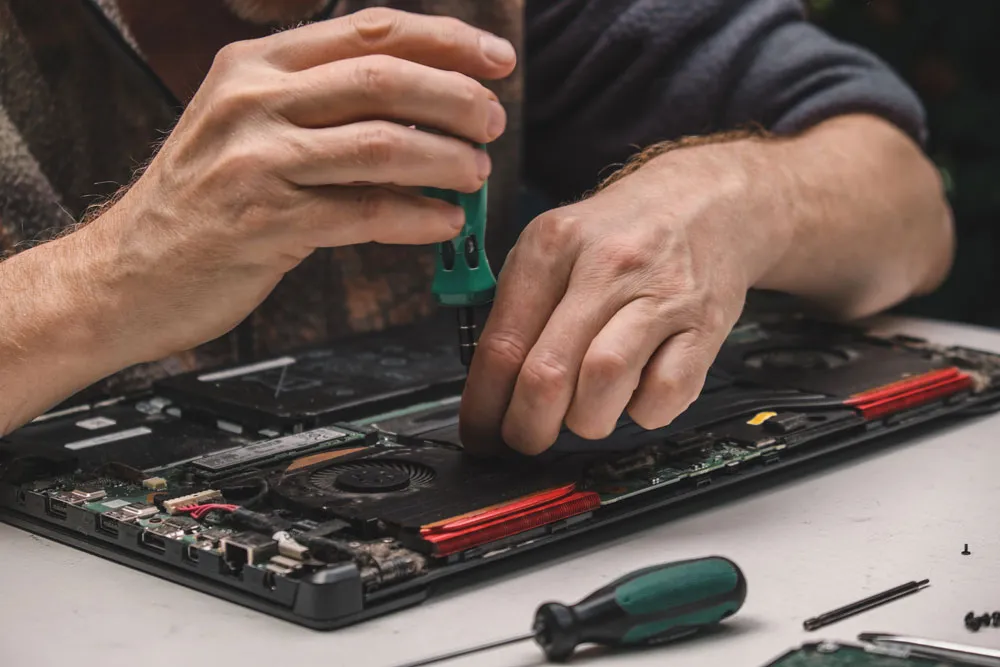
Computer Repairs Murray Bridge — friendly, local help to get you back online
Your computer always seems to pick the worst moment to misbehave, doesn’t it? Right before an online meeting. Halfway through an assignment. While you’re trying to upload something important. One minute it’s fine, the next it’s frozen, making noise, or won’t turn on at all.
If that sounds familiar, you’re not the only one. Laptops and desktops quietly carry a lot of the load in daily life — running small businesses, school work, streaming, shopping and keeping in touch with family. When they stop working properly, it can throw your whole day out.
That’s where Computer Repairs Murray Bridge from Bizup steps in.
Rather than fighting error messages, guessing what’s wrong, or replacing the whole machine, you can get friendly, local help that’s straightforward and affordable. In this guide, we’ll cover:
- Why fixing your computer often makes more sense than replacing it
- The common problems Bizup can sort out in Murray Bridge
- What the repair process usually looks like
- The benefits of choosing a local, down-to-earth team
- Simple tips to keep your computer running better for longer
- How to take the next step when you’re ready
All written in plain, easy-to-read Aussie English — no tech lecture needed.
Why choose local computer repairs in Murray Bridge?
When your computer starts acting up, you really have three choices:
- Ignore it and hope it fixes itself
- Spend hours watching DIY videos and “having a go”
- Get help from local Computer Repairs Murray Bridge experts
Option one usually ends with things getting worse. Option two can work for tiny problems, but it’s easy to make a simple fix more complicated. Option three is where Bizup helps out.
Picking a local team for repairs gives you a few real advantages:
- Convenience – No need to ship your computer away or drive into the city. You can deal with someone nearby in Murray Bridge.
- Real conversations, not call centres – Talk face-to-face, explain what’s happening, and ask questions without feeling rushed.
- Quicker turnaround in many cases – Without postage delays, many jobs can be checked and fixed sooner.
- Support local business – Choosing Bizup helps keep jobs and services in the community.
Best of all, you’re dealing with people who get that your device isn’t just “a computer” — it’s what you use for work, school, entertainment and day-to-day life.
Affordable computer repairs that actually make sense
“Affordable” means different things to different people. For us at Bizup, it means being practical, clear and realistic.
Affordable Computer Repairs Murray Bridge looks like:
- Fixing what actually needs fixing, not upselling extras you don’t want
- Being upfront about what will extend the life of your computer
- Helping you weigh repair versus replacement so you can choose the smarter option
Sometimes a simple repair can make a huge difference — for slow performance, software glitches or minor hardware faults. Other times, it’s better to upgrade than keep pouring money into very old hardware.
Either way, getting advice from people who work with computers every day makes the choice easier.
Common computer problems Bizup can help with
Computers fail in plenty of ways, but most issues fit into a few familiar categories. If you’re searching for Computer Repairs in Murray Bridge, you’re likely dealing with one of these.
1. Slow, laggy performance
You click… and wait. Programs take ages to open, the cursor spins, and simple tasks feel clunky.
Slowness can be caused by:
- Too many programs are running at once
- A crowded startup list
- Not enough RAM for what you’re doing
- An ageing hard drive that’s struggling
- Malware or unwanted software running in the background
Bizup can:
- Optimise your system settings
- Remove unnecessary or harmful programs
- Suggest sensible upgrades (for example, moving to an SSD)
Often, a sluggish machine doesn’t need replacing — it just needs a tune-up.
2. Startup and “won’t turn on” issues
Press the power button, and nothing happens? See the logo, then a black screen or an error message? Those “uh oh” moments are exactly what Computer Repairs Murray Bridge handles.
Possible causes include:
- Faulty power supplies or chargers
- Loose internal connections
- Failing hard drives or SSDs
- Corrupted system files or failed updates
A proper diagnostic usually shows whether the issue is hardware, software, or both — and what to do next.
3. Broken or flickering screens
For laptops and all-in-one PCs, the screen often takes the brunt after a knock or drop.
Common signs:
- Cracks across the display
- Flickering or lines through the image
- The screen lights up but shows nothing
- Bright spots or dark patches
Bizup will check whether a screen can be repaired or needs replacing, and help you decide if the cost makes sense given the machine’s age.
4. Keyboard, trackpad and port problems
Sticky or dead keys, unresponsive trackpads and damaged USB ports make everyday use frustrating. Causes can include:
- Normal wear and tear
- Spills (even small ones)
- Dust and debris under keys
- Physical damage to ports
Local Computer Repairs Murray Bridge can clean, repair or replace parts so your machine is comfortable to use again.
5. Internet and Wi‑Fi issues
Is your computer dropping off Wi‑Fi or refusing to connect while other devices are fine? The problem might be:
- Out-of-date drivers or network software
- An issue with the internal Wi‑Fi card
- Network settings that need tidying up
Bizup can diagnose whether the fault is your computer or something else on the network.
6. Virus, malware and security problems
Pop-ups, unfamiliar programs, redirects or odd behaviour can point to malware or other security issues.
A proper Computer Repairs Murray Bridge service will:
- Scan for and remove malicious software
- Clean up unwanted programs and browser add-ons
- Help you strengthen your security settings going forward
Fixing these problems makes your computer nicer to use and helps protect your personal data.
7. Data and storage troubles
Running out of space? Worried about photos, work files or important documents on a failing drive?
Bizup can help with:
- Upgrading hard drives or SSDs where it makes sense
- Helping you organise and manage storage
- Offering guidance on safe backup habits
Even when a computer is misbehaving, it’s often possible to recover and secure important data depending on the situation.
Home, study and small business — we’ve got you covered
Computer Repairs Murray Bridge isn’t just for techies. Bizup regularly helps:
- Home users – Family PCs and laptops for email, browsing, streaming and shopping
- Students – Laptops for assignments, online learning and creative projects
- Small businesses – Office machines handling email, invoicing, bookings, stock and more
Each group has different needs, but our approach stays the same: listen first, explain clearly, and recommend practical solutions.
If your computer matters to your daily routine (and let’s be honest — most do), it deserves proper care.
What to expect when you bring your computer to Bizup
Not sure what happens during a repair? Here’s a simple run‑through of how Computer Repairs Murray Bridge usually works with Bizup.
1. Friendly check‑in
You bring your laptop, desktop or all‑in‑one and tell us what’s been happening. Useful details include:
- When the problem began
- Whether it’s constant or intermittent
- Any error messages or strange noises you’ve noticed
The more detail you give, the quicker we can find the issue.
2. Initial assessment
A technician will do a quick visual and basic functional check to:
- Confirm the symptoms
- Look for obvious physical damage
- Get a sense of the computer’s age and setup
From there, they move to more detailed diagnostics.
3. Diagnostic testing
This is the detective work. Depending on the fault, it may include:
- Hardware tests (RAM, drives, power supply, temperatures)
- Software checks (OS health, startup items, updates)
- Examining logs and error codes where needed
The aim is to find the real cause, not just treat symptoms.
4. Clear, plain‑English explanation
When we know what’s wrong, you’ll get:
- A straightforward explanation of the issue
- An outline of what can be done to fix it
- A chance to ask questions and discuss options
Then you decide how you want to proceed.
5. Repair and optimisation
If you give the go‑ahead, Bizup will:
- Carry out the agreed repairs or upgrades
- Clean inside the machine where needed (dust often causes heat problems)
- Do basic optimisation so it runs as smoothly as reasonably possible
We handle your device and data with care throughout.
6. Final testing and handover
Before you pick up your computer, we test it again to make sure everything’s working. When you collect it, you’ll know:
- What was done
- How to use any changes or upgrades
- Tips to look after it going forward
Preventative care: simple ways to keep your computer healthier
No computer lasts forever, but a few small habits can cut down emergency Computer Repairs Murray Bridge visits:
- Keep it cool and ventilated. Don’t block air vents or run your computer in hot, cramped spaces — heat is a big enemy of electronics.
- Shut it down properly. Avoid cutting power during updates, and use normal shutdown or restart options.
- Be careful with downloads and links. Don’t open attachments or links from unknown senders, and be wary of pop‑ups promising to “clean” or “boost” your computer.
- Back up important files regularly. Use external drives or cloud backups so photos and documents are safe if something goes wrong.
- Clean the outside, not just the inside. Wipe keyboards, mice and touchpads occasionally, and keep food and drinks away from your workspace.
Those small steps make daily use smoother and help your computer last longer.
Why Bizup for Computer Repairs Murray Bridge?
There are plenty of places that say they fix computers. Locals choose Bizup for a few clear reasons:
- Local and approachable – You deal with people in Murray Bridge, not a distant call centre.
- Experience with real-world problems – From family PCs to business machines, Bizup sees a wide range of faults each week.
- Value and practicality – The chat is about what makes sense for you, not what’s merely possible.
- Clear communication – You’re kept informed without being buried in jargon.
The goal is simple: remove the stress from computer problems and help you get back to using your device with confidence.
Ready to sort out your computer?
If your computer is painfully slow, won’t start, is glitchy, noisy, or just “not right”, it’s a good time to get it checked. You don’t need to diagnose it yourself — that’s what Computer Repairs Murray Bridge specialists are for.
Instead of putting up with frustration or worrying about lost files, get a proper assessment and clear advice from the Bizup team in Murray Bridge.
ð How to take the next step:
- Reach out to Bizup – Call or use the Bizup website, and give a short description of the problem.
- Bring your device in – Laptop, desktop or all‑in‑one — bring it by for a proper check.
- Talk through your options – After diagnosis, you’ll get practical recommendations so you can choose how to proceed.
Don’t let computer problems slow you down. Choose Bizup for Computer Repairs Murray Bridge, get friendly local support, and enjoy a smoother, more reliable experience every time you sit down at your keyboard.