
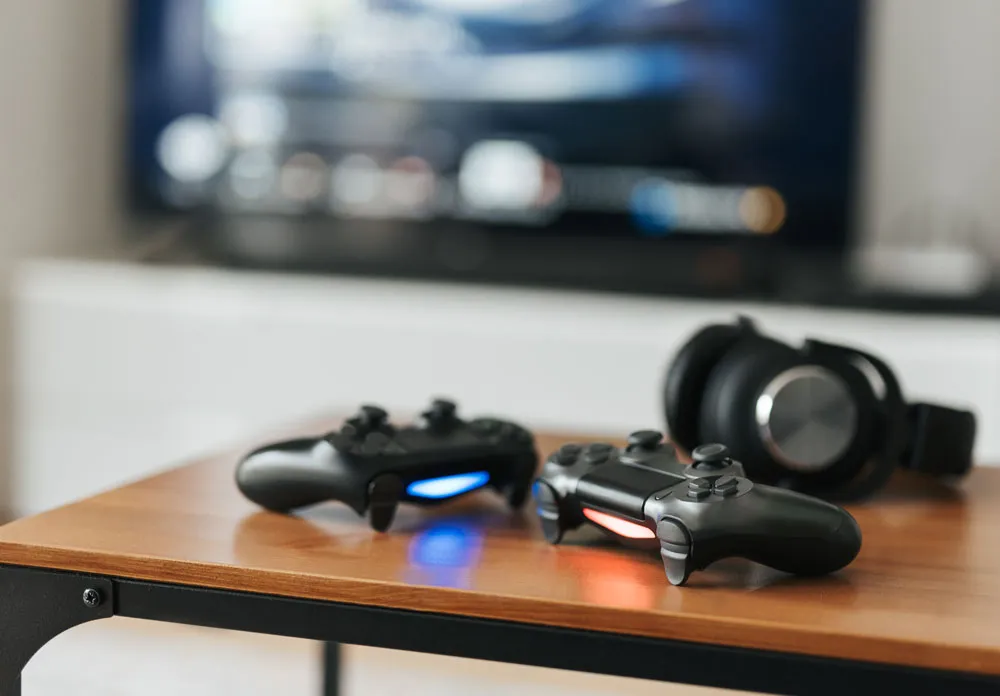
Gaming Console Repairs Broken Hill — Fast, reliable PlayStation, Xbox & Nintendo fixes
If your PlayStation froze mid-match, your Xbox won’t power up, or your Nintendo Switch stopped charging just before a big weekend session, you’re not the only one. Console problems are annoying, inconvenient and—let’s be honest—stressful, especially when the console is the household entertainment hub.
That’s why Gaming Console Repairs Broken Hill exists. Whether you game casually in the evenings, use the console for family movies and streaming, or compete seriously and need flawless performance, a quick, proper repair gets you back to what matters.
In this guide, we’ll cover:
- Why it usually pays to get professional console repairs
- Common faults we fix
- The repair process and what you can expect
- Tips to look after your console in our Aussie climate
- When to repair and when to replace
- How to get started today in Broken Hill
All written in clear, conversational Aussie English—no tech jargon, no confusing fine print. Just practical info so you can decide what’s best for your console and household.
Why Gaming Console Repairs in Broken Hill Make Sense
Out here in Broken Hill, tech support isn’t always a quick trip to a big store. That’s why having local, accessible Gaming Console Repairs Broken Hill matters.
Here are a few reasons repairing is often the smarter option:
1. You keep your current setup
Your console is usually set up exactly how you like it:
- Accounts already logged in
- Games installed
- Settings customised
- Favourite streaming apps ready to go
Repairing means you don’t have to wrestle with new logins, re-download massive games, or hunt for lost save data (where possible). You get the same system you know back into working order.
2. It’s often quicker than starting over
Buying new sounds simple until you add in:
- Waiting for stock or delivery
- Re-downloading huge game files
- Reinstalling apps
- Pairing controllers and accessories
With a local repair in Broken Hill, you can usually be back up and running faster than going through the whole replacement process.
3. It’s better for the planet
Repairing instead of binning a console reduces e-waste. If a device can be fixed, it’s kinder to your wallet and the environment.
Common Gaming Console Problems We See (And Fix)
Consoles fail in similar ways. The good news is that many faults are repairable with the right tools, parts and experience.
Here are the most common issues we handle at Gaming Console Repairs Broken Hill:
1. Console won’t turn on
You press the power button and… nothing. No light, no beep, no sign of life.
Possible causes:
- Faulty power supply
- Damaged ports or cables
- Internal component failure
- Overheating damage from long-term use
A proper diagnosis will pinpoint the fault and whether it’s repairable.
2. Overheating and random shutdowns
Do you notice any of the following?
- The console gets very hot to the touch
- The fans sound like a jet
- The system shuts down during gameplay
Dust build-up, dried thermal paste, blocked vents or failing fans often cause overheating. A deep clean and service can make a big difference.
3. Disc drive problems (for disc-based consoles)
If your console:
- Won’t read discs
- Makes odd noises when a disc is inserted
- Keeps ejecting discs
It could be a misaligned or failing drive, a dirty lens, or a mechanical issue. These parts are often repairable or replaceable.
4. No display / black screen
The console light comes on, but the TV shows “No signal” or stays blank.
Common causes include:
- Damaged HDMI ports
- Faulty HDMI cable
- Software glitches
- Motherboard or internal faults
We can inspect HDMI ports, test cables and check for internal damage.
5. Controller issues
Sometimes it’s the controller, not the console:
- Sticky or unresponsive buttons
- Analog stick drift
- Charging faults
- Connection dropouts
We diagnose and repair controllers so your whole setup plays like new again.
6. Storage and system errors
If your console keeps:
- Crashing
- Showing error codes
- Failing to install or update games
Problems may stem from internal storage, corrupt data or system software issues. We can help with drive replacement, data migration (when possible) and system refreshes.
Types of Consoles We Commonly Work With
While every workshop differs, Gaming Console Repairs Broken Hill typically handles the major systems you’re likely to own:
- PlayStation – PS4, PS4 Pro, PS5
- Xbox – Xbox One, One S, One X, Series S, Series X
- Nintendo – Nintendo Switch, Switch Lite, Switch OLED, and sometimes older models, depending on parts availability
If you’ve got an older console you’d rather keep, ask us. Even when parts are scarcer, plenty can still be repaired.
What to Expect from Gaming Console Repairs Broken Hill
If you’ve never had a console repaired, here’s how it usually goes.
Step 1: Chat and check in
Tell us:
- Which console do you have
- What it’s doing (or not doing)
- When the issue started
- Any error messages or strange noises
The more details you give, the quicker we can narrow down the cause.
Step 2: Initial assessment
When the consoles’s with a technician, they’ll:
- Visually inspect the unit and ports
- Test with known-good cables
- Look for signs of overheating or dust build-up
- Run basic diagnostics where applicable
This helps us tell if it’s a simple fix—like a damaged port—or a deeper hardware fault.
Step 3: Repair plan
After the assessment, you’ll get a clear rundown of:
- What’s likely wrong
- What we can do to fix it
- How long should the repair take
We keep things simple and transparent so you’re not left guessing.
Step 4: The repair
Repairs may include:
- Cleaning internal dust and replacing thermal paste
- Replacing damaged HDMI or power sockets
- Repairing or swapping a disc drive
- Fixing or replacing internal components
- Servicing or replacing controller parts
All work is done carefully with the right tools to protect delicate components.
Step 5: Testing and quality checks
Before we return your console, it will usually be:
- Tested for core functions—power, display, sound
- Checked under load (playing a game or running software)
- Monitored for overheating or unusual noise
This makes sure the issue’s fixed, not just patched temporarily.
Benefits of Using a Local Broken Hill Repair Service
Choosing Gaming Console Repairs Broken Hill over sending your console away or trying a DIY fix has clear advantages.
1. Local convenience
No long-distance shipping or dealing with call centres. You’re dealing with people in your area, which means:
- Easier drop-off and pick-up
- Real conversations with real people
- Understanding of local needs and conditions
2. Practical, real-world advice
Our techs know how consoles are actually used at home, so you’ll get useful tips like:
- Better placement for airflow
- Surge and power-board advice
- How to store controllers and accessories
- Cleaning tips to reduce dust build-up
That’s the kind of practical guidance you don’t always get from a generic online guide.
3. Support the local economy
Choosing a Broken Hill repair service keeps money in the community and supports local jobs—rather than sending your console off to a faceless, overseas operation.
Looking After Your Console in Broken Hill’s Conditions
Our climate can be tough on electronics—heat and dust are part of life here. A few simple habits will help your console last longer and avoid repairs:
Keep it well-ventilated
- Don’t tuck it into a tiny closed cabinet
- Leave space at the sides and back for airflow
- Avoid stacking other devices on top
Watch the dust
Dust is a console’s silent enemy. It clogs vents, traps heat and makes fans work harder.
Do this:
- Wipe around the console regularly
- Keep it off the floor where possible
- Avoid placing it near open windows that let dust in
Power habits
- Use a good-quality power board
- Don’t yank cables out by the cord
- Avoid moving the console while a disc is spinning (for disc models)
Give it a break
Long gaming sessions are great, but now and then:
- Let the console rest for a while
- Turn it off fully rather than leaving it in rest mode constantly
These small habits can reduce overheating and performance issues over time.
Repair vs Replace: What’s Right for You?
When something major goes wrong, you usually have two choices: repair or replace. The right move depends on a few factors.
Repair might be best if:
- Your console is a relatively recent model
- The fault looks isolated (e.g. HDMI port, disc drive, fan)
- You’ve invested in lots of digital games on that system
- You’d rather keep the console you already own
Replacement might make sense if:
- The console is very old, and parts are hard to find
- Several major components have failed
- You were already planning to upgrade soon
If you’re unsure, a proper assessment from Gaming Console Repairs Broken Hill will help you weigh up the costs and benefits so you can decide with confidence.
DIY Repairs vs Professional Help
It’s tempting to follow a tutorial and try a DIY fix, but there are real risks:
- Tiny screws and fragile cables inside
- Static damage to sensitive components
- Possibly turning a small fault into a big one
- Having trouble putting everything back together
Professionals have the right tools, parts and experience to do the job properly. That means less stress for you and a better chance that your console returns to working as it should.
If you’re not confident with electronics, it’s usually safer—and often cheaper in the long run—to leave it to the experts.
When to Contact Gaming Console Repairs Broken Hill
You don’t need to wait for a complete failure before getting help. It’s better to act early if you notice:
- Fans are suddenly much louder than normal
- The console feels unusually hot after short sessions
- Games are crashing or freezing frequently
- Strange internal noises
- Controllers disconnecting or showing drift
These can be early signs of bigger problems. Checking them early can prevent more serious damage.
Ready to Get Your Gaming Console Fixed?
If your console is causing trouble, you don’t have to put up with it or give up gaming. Professional Gaming Console Repairs Broken Hill can bring your system back to life so you can get back to playing, watching and relaxing.
Here’s what to do next:
- Note the symptoms. Write down what the console is doing, any error messages and how long it’s been happening.
- Unplug and store it safely. If it’s overheating, shutting down or making worrying noises, turn it off, unplug it and keep it somewhere dry until it can be assessed.
- Contact your local repair team. Get in touch with Gaming Console Repairs Broken Hill to book an assessment or get advice. A quick chat usually points you to the next step.
- Get back to gaming. After repair and testing, plug your console back in, fire it up and enjoy your games, apps and streaming again.
Don’t Put Up with a Faulty Console — Get Help Today
Your console is more than a gadget—it’s your entertainment hub, stress relief and a way to connect with mates and family. If it’s not working, you deserve a hassle-free fix.
If you’re in Broken Hill and your console is:
- Not turning on
- Overheating
- Crashing regularly
- Having controller or display issues
Contact Gaming Console Repairs Broken Hill today. A friendly local tech will diagnose the problem, talk you through your options and get you one step closer to being back in the game.