

Urgent Hacked Computer Repair in Griffith: Remove Threats and Secure Your System
If you suspect your computer has been hacked, act quickly to limit damage, preserve evidence, and restore a secure environment—help is available locally for urgent hacked computer repair in Griffith. This guide explains immediate actions to take the moment you notice suspicious activity, outlines common cyber threats such as malware, ransomware, and phishing, and describes how professional technicians remove threats, recover data, and harden systems against reinfection. You will also learn clear steps to contact a local cybersecurity expert, practical prevention measures for families and small businesses, and what to expect from urgent repair services in Griffith. The focus here is practical: step-by-step triage, signs to watch for, realistic recovery options, and proactive hardening strategies that reduce future risk. Read on for immediate HowTo actions, threat definitions, and the repair workflow used by regional providers, with local contact guidance to get urgent IT support in Griffith when you need it most.
What Should You Do Immediately If Your Computer Is Hacked in Griffith?
A hacked computer demands immediate containment to stop ongoing data theft and spread of malware; this means isolating the device, preserving evidence, and avoiding any further logins or transactions that could worsen the breach. Quick actions reduce the chance of remote actors maintaining access, and they increase the likelihood of successful forensic recovery and data restoration. The steps below prioritise safety for your accounts and data while preparing useful information for the technician who will perform malware removal in Griffith. After containment and evidence preservation, the next phase is deciding whether remote triage or on-site intervention is required, which guides how you will contact urgent IT support in Griffith.
If your device is online, cut network access right away and avoid shutting down if volatile evidence may be needed; follow the checklist below for safe disconnection. The actions in this list limit the attacker’s ability to exfiltrate data and give you control while you arrange professional help.
- Disconnect from the internet using the quickest method available: disable Wi-Fi and Bluetooth, and unplug any Ethernet cables.
- Stop all sensitive activity: do not log into banking, email, or social accounts from the compromised device.
- Preserve visible evidence: take photos or screenshots of ransom notes, pop-ups, or unexpected login attempts.
These immediate steps stabilise the situation and prepare you to gather the most useful information for a local security expert, which is covered next.
How to Disconnect and Protect Your Data Right Away
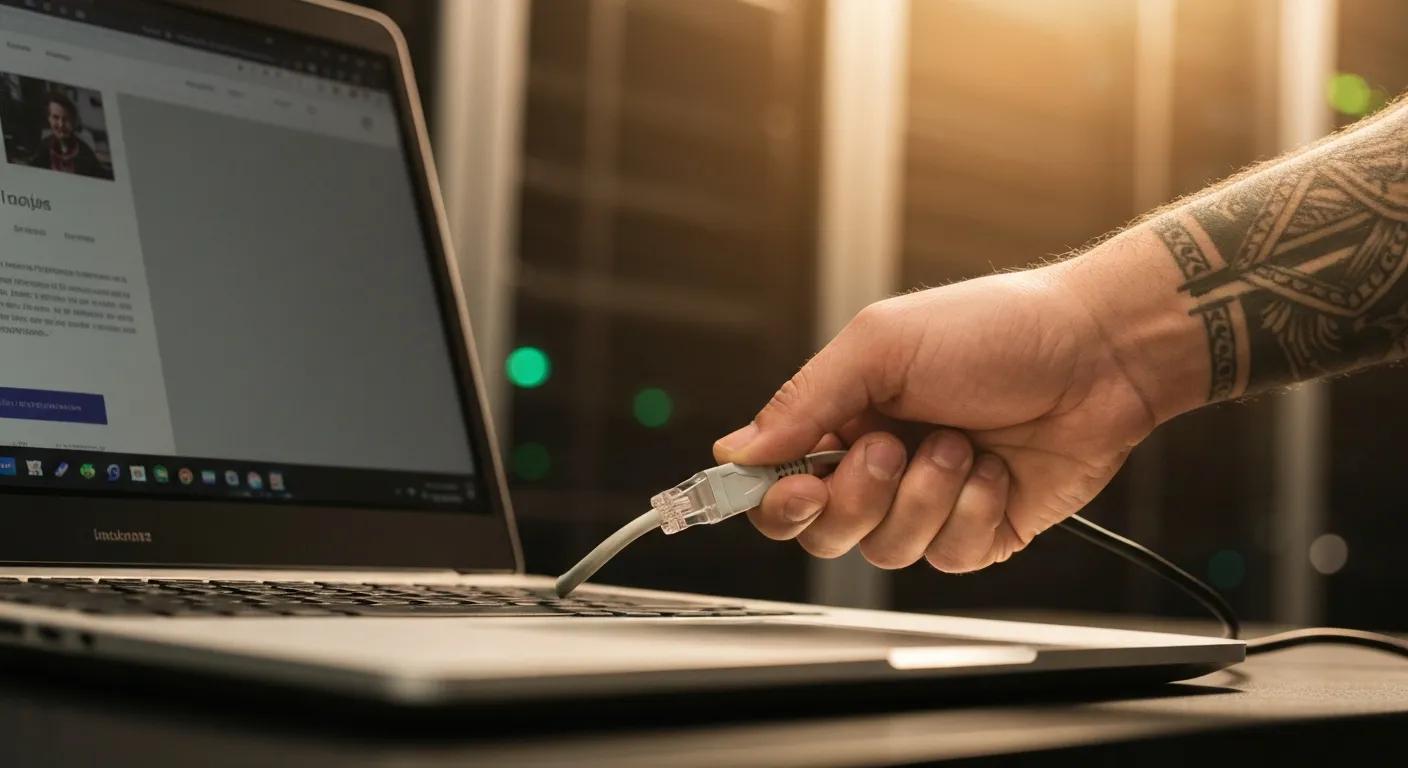
Disconnecting a hacked computer focuses on stopping network access while preserving as much forensic information as possible, because abrupt power cuts can destroy volatile logs needed for investigation. First, disable Wi-Fi and Bluetooth from system settings, then unplug Ethernet cables; if you cannot access settings safely, use the router switch or physically disconnect the device from the network. Avoid rebooting into unknown recovery options or logging in to accounts, and do not enter passwords—these actions can trigger further malicious activity or encrypt files. After disconnection, note visible symptoms and document any messages; this documentation speeds remote triage and helps technicians prioritise malware removal and data recovery.
Preserving a copy of recent activity, such as screenshots or photos of ransom notes and browser windows, helps recovery specialists identify the threat quickly and choose the right remediation tools. The next step is assessing when to escalate to a local computer security expert for urgent intervention and what information to prepare before calling.
When and How to Contact a Local Computer Security Expert
Call a local cybersecurity expert when you see persistent unauthorised access, ransom demands, active file encryption, or evidence of data exfiltration; these signs usually require professional containment and recovery. Before contacting support, prepare a concise summary: device type and model, operating system, what you were doing when the issue began, recent downloads or installations, and screenshots of error messages or ransom notes. If the compromise appears limited to a single device and you can describe symptoms clearly, many providers can start remote triage immediately to contain threats while scheduling onsite or in-store recovery as needed. Keep in mind that initial triage focuses on determining scope—whether the attacker has persistent access—and that preserving logs and avoiding password changes on the compromised machine can assist forensic analysis.
Having this information ready accelerates diagnosis and helps the technician recommend whether remote malware removal, in-store repair, or onsite recovery is appropriate for your situation; the following section explains common threat types to help you recognise those signals sooner.
What Are the Common Types of Computer Hacks and Cyber Threats in Griffith?
Computer hacks generally fall into a handful of threat types—malware (including viruses and trojans), ransomware, phishing, and data breaches—each with distinct mechanisms, visible signs, and impacts on users and small businesses. Understanding how each operates helps you prioritise containment and informs realistic recovery expectations, from running antivirus scans to enlisting professional ransomware recovery services in Griffith. This section defines each threat, lists common signs to watch for, and describes typical consequences for files, accounts, and business continuity. Recognising the threat type quickly improves the chances of successful malware removal and reduces downtime for households and local businesses.
Below is a quick overview of threat types and the typical signs that suggest professional intervention is necessary.
- Malware and viruses: unexpected pop-ups, system slowdowns, and unknown processes in the task manager.
- Ransomware: files encrypted with unfamiliar extensions, ransom notes or locked screens demanding payment.
- Phishing and scams: suspicious emails requesting credentials, urgent payment requests, or unexpected attachments.
- Data breaches: notifications from services, unknown account activity, or credential alerts from password managers.
These indicators guide which remediation approach to choose—immediate containment, forensic investigation, or recovery from backups—and the next subsections explain each threat in more detail.
What Are Viruses and Malware? Signs and Impact on Your System
Malware is software designed to damage, disrupt, or steal data, with viruses, trojans, and spyware as common subtypes that perform different harmful tasks on an infected system. Viruses replicate and spread, trojans disguise malicious payloads as legitimate software, and spyware silently captures keystrokes or data for remote exfiltration; all can degrade performance, expose credentials, or allow persistent remote access. Typical symptoms include unexplained slowdowns, frequent crashes, new icons or programs you did not install, and unknown processes running in the background. Early detection and removal with reputable antivirus or endpoint tools, followed by a professional scan and system hardening, reduces the risk of re-infection and data loss.
Detecting malware early allows for targeted quarantine and removal strategies that focus on eliminating persistent backdoors and restoring system integrity, and the following subsection explains ransomware mechanics and realistic recovery paths.
How Do Ransomware Attacks Work and How Can You Recover?
Ransomware encrypts files and often demands payment for a decryption key, using social engineering or software exploits to gain initial access before rapidly spreading through connected drives and backups. Recovery options depend heavily on the availability of recent, offline backups and whether shadow copies or backups remain untouched; without clean backups, professional recovery can involve a significant investment and may not recover all data. Immediate steps include isolating the infected machine, documenting ransom notes, and not paying without professional advice, because payment does not always lead to recovery and can encourage further crime. A pragmatic recovery plan focuses on restoring from verified backups, rebuilding systems when necessary, and implementing stronger backup and hardening measures to prevent recurrence.
Realistic expectations are essential: recovery timelines and success rates vary, and professional intervention focuses on data integrity, containment, and preventing future incidents rather than promising full restoration of every file.
Ransomware has evolved into one of the most pernicious cyber threats. It is designed to encrypt data, with the owner required to pay a specified sum for the decryption key. From rudimentary beginnings to sophisticated variants employing advanced encryption methods and modern distribution techniques, we’ve seen its development. Specific aspects of ransomware development include the modus operandi of attackers, progressing from the traditional method of widespread malware distribution to more strategic approaches targeting specific industries and organisations. We also see the emergence of ransomware-as-a-service (RaaS), which analysts attribute to its facilitation of access for inexperienced and unskilled hackers into the commodity market through the simple deployment of ransomware attacks. Current ransomware strategies employed by attackers include double extortion.
Phishing lures users into revealing credentials or executing malicious attachments by mimicking trusted contacts or services, and it remains one of the most common initial access methods for broader compromises. Red flags include unexpected messages urging immediate action, mismatched sender addresses, poor grammar, and unexpected attachments or links claiming to be invoices or account alerts. Prevention relies on verification steps—confirming messages through separate channels, hovering over links without clicking, and using multi-factor authentication (MFA) on critical accounts to reduce the impact of stolen passwords. Regular user awareness and simple verification habits drastically reduce the chance of credential compromise, and training for household members or staff helps maintain vigilance over time.
Addressing phishing promptly involves changing exposed passwords on a clean device and enabling MFA, followed by scanning systems for any signs of compromise if credentials were used on the hacked machine.
What Are Data Breaches and Their Risks for Griffith Users?
A data breach occurs when an attacker accesses sensitive information from a third-party service or your own systems, exposing personal or business data to misuse, such as identity theft or fraud. Breaches can result from compromised vendor systems, weak credentials, or malware that steals locally stored data, and risks include unauthorised transactions, identity fraud, and loss of customer trust for small businesses. Immediate actions after a breach include changing passwords on affected accounts using a secure device, enabling account recovery protections, and monitoring for suspicious activity or fraud alerts. For businesses, reporting obligations and customer notifications may apply, and professional assistance can help assess the scope of exposure, contain further leakage, and recommend remediation steps.
A thorough containment and recovery strategy balances credential protection, forensic review, and notification steps where required to limit downstream harm.
How Does Bizup Perform Urgent Hacked Computer Repair in Griffith?
Bizup IT’s business intent is to provide accessible, reliable, and affordable tech repair and support to regional Australian communities. Their goal is to build trust locally, attract walk-in and remote service customers, and position themselves as the go-to tech solution provider. The typical repair workflow follows a structured progression: diagnosis to identify scope, isolation to stop ongoing access, removal of malicious software, data recovery where possible, and system hardening to prevent reinfection. This process uses proven tools for virus scanning and quarantine, verified recovery techniques for intact backups, and follow-up checks to confirm the system is clean and secure. Understanding these steps helps you know what to expect during urgent hacked computer repair and clarifies typical timelines and outcomes for malware removal in Griffith.
Below is a compact comparison that explains what each phase includes, and typical time and service investment expectations to set realistic expectations for urgent service.
This breakdown clarifies priorities during urgent repair and helps customers understand the sequential nature of safe recovery.
What Are the Step-by-Step Repair and Virus Removal Procedures?
Repair and removal begin with a thorough diagnosis that identifies active threats, persistence mechanisms, and any compromised accounts; this is followed by containment to prevent lateral movement or exfiltration. Technicians run layered scans with reputable tools, isolate infected files, and disable malicious autorun entries or scheduled tasks that reintroduce threats, and then verify removal by rescanning and checking system integrity. Data recovery is attempted from secure backups or shadow copies if available, and if files are encrypted by ransomware, professionals evaluate recovery options before recommending payment or rebuild. Final steps include reinstalling critical software, applying patches, and conducting a controlled test to confirm services and user access are restored.
These procedures balance the need to recover data with the priority of preventing further access, and the next subsection explains how local service delivery speeds and practices support fast, secure outcomes.
How Does Bizup Ensure Fast, Reliable, and Secure Service Locally?
Bizup IT’s business intent is to provide accessible, reliable, and affordable tech repair and support to regional Australian communities. Their goal is to build trust locally, attract walk-in and remote service customers, and position themselves as the go-to tech solution provider. Local presence means technicians can often triage remotely quickly and schedule in-person support with shorter wait times than distant providers, while secure handling practices ensure customer data is treated responsibly during repair. Rapid remote triage reduces downtime for common infections and determines whether onsite hardware recovery or in-store service is necessary, and trained technicians follow evidence-preserving protocols during every urgent repair. Clear communication about expected timelines and next steps helps customers make informed choices about recovery and hardening options.
This local approach emphasises responsiveness and transparent next steps to minimise disruption for families and small businesses in Griffith.
Why Choose Bizup for Urgent Computer Virus Removal and Cybersecurity in Griffith?
Bizup IT’s business intent is to provide accessible, reliable, and affordable tech repair and support to regional Australian communities. Their goal is to build trust locally, attract walk-in and remote service customers, and position themselves as the go-to tech solution provider. As a regional provider, Bizup blends remote support tools with in-store and on-site options so you can get urgent malware removal or ransomware recovery based on the severity and the need for hardware repair. Transparent communication about diagnostics, expected response times, and follow-up hardening recommendations helps build local trust and reduces the anxiety of handling a hacked system. Below is a quick comparison of service delivery methods to help you choose the best option for your situation.
What Local Expertise and Experience Does Bizup Offer?
Bizup IT’s company background emphasises connecting regional Australians with expert tech repairs and support, offering clear information on services, store locations, and contact details. That regional focus translates into technicians experienced with everyday devices—phones, tablets, and computers—and common local use cases for households and small businesses. Technicians are practised at triaging urgent threats remotely, preserving evidence for forensic review, and coordinating safe data recovery or rebuilds when required. This practical expertise means faster early containment and clearer recovery plans for Griffith residents and local enterprises facing malware, ransomware, or data breach incidents.
This local competence forms the basis for flexible service delivery, described next, so you can choose remote containment or on-site recovery based on scope and risk.
What Are the Available Remote and Onsite Support Options?
Remote triage is ideal for initial containment and many malware removal tasks because it can start immediately and often resolves infections without a physical visit, while in-store or onsite service is preferable for hardware damage, complex ransomware recoveries, or when offline backups must be accessed. Remote sessions typically begin with guided containment, credential resets on clean devices, and layered scans; if restoration requires hardware repair or full system rebuild, in-store drop-off or technician visits are scheduled. Prioritised urgent cases get faster triage and scheduling to reduce business downtime or household disruption. Choosing the right delivery method balances speed against the need for physical access to drives or secure backup media.
Selecting remote or on-site support depends on whether files are encrypted, whether hardware shows fault signs, and how extensive the attacker’s access appears.
How Transparent Is Bizup’s Pricing and Customer Support?
Bizup IT’s business intent is to provide accessible, reliable, and affordable tech repair and support to regional Australian communities. Their goal is to build trust locally, attract walk-in and remote service customers, and position themselves as the go-to tech solution provider. Our service approach involves an initial assessment fee, with the overall investment varying based on the complexity of the repair. Urgent cases often receive priority scheduling, which can influence the turnaround time and overall expense. When you request a quote, expect a diagnostic assessment followed by a clear estimate that outlines the work required, alternatives like restoration from backup, and any parts or licenses needed for full remediation. Transparent estimates and clear explanations of factors that influence the overall investment—such as the scope of infection, need for data recovery, or hardware replacement—help customers make informed decisions about the priority and extent of repair work.
Clear communication about quotes and realistic expectations about recovery outcomes reduces surprises and supports timely decision-making during urgent incidents.
How Can You Protect Your Computer from Future Cyber Attacks in Griffith?
Protecting systems against future attacks requires a combination of security tools, operational best practices, and ongoing user awareness tailored to families and small businesses in regional areas. A layered defence—antivirus/endpoint protection, firewalls, regular backups, and multi-factor authentication—reduces the probability that a single event leads to a full compromise. Regular patching of operating systems and applications eliminates common exploit paths, and user training raises the baseline for detecting phishing attempts and risky behaviour. The sections below compare essential security tools, provide operational hygiene checklists, and outline the value of localised training that fits small-business and family scenarios.
Start by implementing the essential tools below; the table summarises recommended use cases and practical examples.
What Essential Security Software Should You Use?
Effective software begins with reputable antivirus/endpoint protection that performs scheduled and real-time scanning, supplemented by a firewall at both the device and network level to block unauthorised inbound and outbound traffic. Backup software that creates automated, versioned backups with at least one offline copy safeguards against ransomware by enabling recovery without paying ransoms, and password managers combined with multi-factor authentication reduce the risk that stolen credentials lead to account takeover. Keeping all security tools updated and licensed ensures they receive threat definition updates and critical patches. Implementing these essential tools creates a defensive baseline that makes successful attacks less likely and simplifies recovery when incidents occur.
With tool selection in place, operational habits and routines provide the behavioural layer of protection discussed next.
What Best Practices Help Secure Your System?
Operational hygiene is critical: use strong, unique passwords stored in a password manager, enable multi-factor authentication on all sensitive accounts, and apply system and application updates promptly to close known vulnerabilities. Maintain regular, automated backups with at least one copy stored offline or offsite, and restrict administrative privileges on day-to-day accounts to minimise the impact of compromise. Avoid using the compromised device to change passwords or access sensitive accounts; instead, use a known-clean device for recovery tasks and communications. Adopting these practices reduces exposure to phishing, malware, and credential theft while improving your capacity to recover quickly after an incident.
Embedding these habits within family routines or staff workflows increases resilience and lowers the likelihood of repeat infections, and the following subsection explains how focused training helps achieve that cultural change.
How Can Families and Small Businesses Benefit from Cybersecurity Training?

Targeted training equips household members and staff with practical skills to recognise phishing, manage passwords, and follow safe remote-work practices that reduce breach frequency and severity. Training modules can include phishing simulations, secure backup routines, device hygiene, and incident response checklists tailored to local small-business scenarios and family use patterns. Improving awareness translates into fewer risky clicks, faster detection of unusual activity, and a clearer understanding of when to escalate to a professional. Localised training that addresses region-specific risks and common small-business workflows is particularly effective for regional communities that may not have in-house IT teams.
Ongoing, short training sessions paired with simulated exercises create lasting behavioural change and strengthen organisational preparedness for future incidents.
How to Contact Bizup for Immediate Hacked Computer Repair and Virus Removal in Griffith?
Bizup IT’s business intent is to provide accessible, reliable, and affordable tech repair and support to regional Australian communities. Their goal is to build trust locally, attract walk-in and remote service customers, and position themselves as the go-to tech solution provider. When you need urgent hacked computer repair in Griffith, start with a phone call for immediate triage and have key details ready—device type, operating system, symptom timeline, and screenshots of any messages or ransom notes. Expect initial triage to prioritise containment and recommend one of three paths: remote remediation, in-store diagnostics, or an on-site visit when hardware access or secure backup handling is required. Below is a short checklist to help you reach out efficiently and accelerate response.
- Call the priority phone number and explain the urgent nature of the issue.
- Provide device details, recent activity, and attach screenshots via the follow-up form or email if requested.
- Ask about estimated triage times and whether remote access will be needed.
Providing concise, relevant information upfront speeds diagnosis and helps the support team prioritise urgent cases; the final subsection explains what to expect when scheduling repair services.
What Are the Best Ways to Reach Bizup Quickly?
For immediate assistance, calling the local phone number allows the support team to triage cases and advise on safe containment steps while scheduling urgent sessions; have your device details and symptom notes ready to speed the process. If remote sessions are appropriate, you may be guided through a secure remote access setup to start containment and scanning promptly, while in-store drop-offs are scheduled for more involved repairs or data recovery. Use any available online enquiry channels to submit screenshots and logs for follow-up, but keep phone contact as the fastest way to trigger priority response. Being clear about the severity—active encryption, ransom demands, or ongoing data theft—helps ensure your case is escalated quickly.
Preparing this information in advance reduces triage time and improves the technician’s ability to recommend the right next steps, which are outlined in the last section.
What Should You Expect When Scheduling Urgent Repair Services?
After initial contact, expect an initial remote triage to determine scope, followed by a diagnostic assessment that produces a recommended repair plan and an estimate; urgent cases typically receive priority scheduling for in-store or on-site service. An assessment fee may apply to determine whether recovery from backups, removal of persistent malware, or hardware replacement is necessary; technicians will explain options and timeframes before proceeding. For urgent ransomware or data-exfiltration incidents, containment and forensic steps take precedence and may extend timelines to ensure evidence preservation and safe recovery. Clear communication about the factors influencing your service investment, expected outcomes, and follow-up hardening completes the scheduling process and prepares you for the repair phase.
Keeping expectations realistic and cooperating with remote triage instructions helps deliver faster, safer outcomes when dealing with hacked systems in Griffith.