
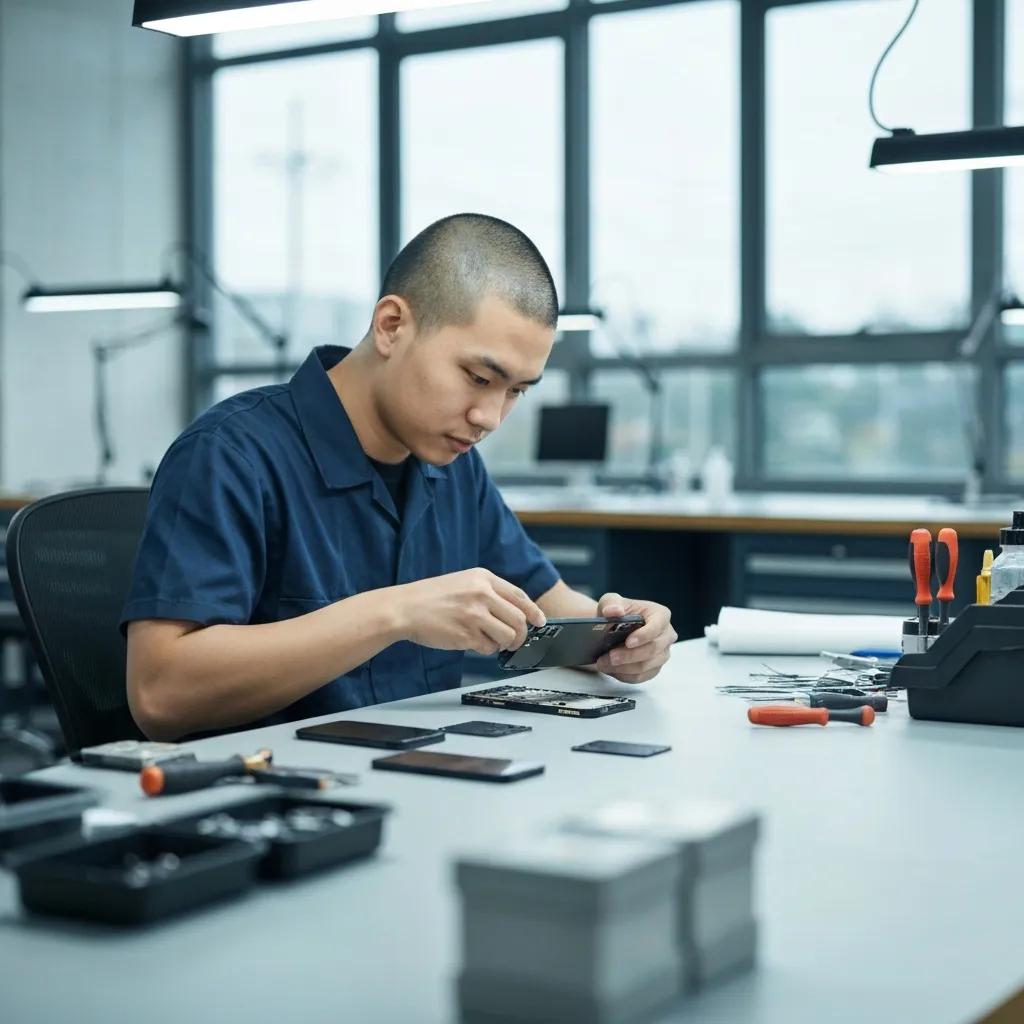
Quick and Reliable iPhone Repairs in Murray Bridge with Bizup
Bizup offers fast, local iPhone repair services in Murray Bridge that help residents get their devices working again with minimal fuss. This article explains common iPhone problems you might see, practical signs to look for, and clear steps to address each issue so you can decide whether a DIY check or professional repair is required. You will read about screen and battery symptoms, charging and water-damage responses, and how technicians diagnose and fix faults while keeping your data and privacy front of mind. The piece also outlines the screen-replacement and battery-replacement workflows, other repair types such as charging port and water-damage recovery, and straightforward ways to book or request on-site support in Murray Bridge. Throughout, the focus is on actionable guidance for users in Murray Bridge, South Australia, with concise references to Bizup’s local repair and support options where relevant.
What Common iPhone Issues Does Bizup Fix in Murray Bridge?
Common iPhone issues fall into a few repeatable categories based on component failure, accidental damage or software faults. Understanding the typical symptoms helps you decide whether immediate attention is needed and which diagnostic checks to request, because symptoms map directly to likely causes and repair approaches. Local customers in Murray Bridge frequently bring in devices with cracked screens, degraded batteries, charging failures, signs of liquid exposure, and software instability—each requires a different inspection and repair path. Below is a quick, scannable table matching common issues to symptoms and the typical response you can expect from a regional repair workshop.
The following table helps match what you see with the likely technician response and clarifies when to seek professional help.
This table clarifies common repair routes and helps you decide whether to seek in-store testing or a remote initial check. Read on for specific signs of screen and battery issues, which are the most frequent reasons to get professional help in Murray Bridge.
Which Signs Indicate You Need iPhone Screen Repair?
A damaged screen is one of the most visible and immediate iPhone problems and often needs professional attention rather than prolonged observation. Typical signs include visible cracks or shattered glass, a black or flickering display, dead pixels or discoloured areas, and touch response failures such as ghost touches or a completely unresponsive touchscreen. Beyond cosmetic issues, broken glass can expose internal parts to dust and moisture, increasing the risk of further hardware damage if not addressed. If you notice glass shards, sharp edges, or an enlarging crack, it’s wise to seek a repair assessment to avoid cutting your fingers or causing additional component faults.
Immediate repair also reduces the chance of dust or liquid ingress that can compromise the display connector or neighbouring components. If the touchscreen intermittently responds or the display shows coloured lines, these symptoms often indicate that the digitiser or display assembly is failing and requires replacement rather than simple cleaning. Arrange an inspection promptly so a technician can confirm whether a screen replacement or partial component repair is appropriate, and advise on the best next steps tailored to your iPhone model.
When Should You Consider iPhone Battery Replacement?
Battery problems usually start subtly and then progress to noticeable performance loss; knowing the signs helps you choose the right time for replacement. Common indicators are rapid battery percentage drops during normal use, unexpected shutdowns while the display still shows charge, excessive device heating during light tasks, and physical swelling that can distort the device frame or screen. Apple-style battery-health metrics accessed in Settings are useful checkpoints; a significant drop in maximum capacity compared with new is a clear signal to consider a professional battery assessment. Safety is also paramount: a swollen battery is a sign to stop using the device and seek immediate servicing.
Timely battery replacement restores usable runtime, improves thermal performance and reduces the risk of sudden shutdowns that can interrupt important calls or data tasks. A technician will run diagnostic checks and discuss replacement options, ensuring the replacement cell is compatible and installed with appropriate safety procedures. After replacement, expect to monitor initial charge cycles and follow basic aftercare guidance to prolong the new battery’s service life, which we outline later in this article.
How Does Bizup Deliver Fast and Trusted iPhone Screen Repair in Murray Bridge?
Fast and trusted screen repair rests on a clear workflow: accurate diagnosis, sourcing quality replacement parts, careful replacement, and thorough testing. The work begins with an inspection to determine whether the display, digitiser or glass is the failing component and to check for related damage such as bent frames or internal connector issues. Parts selection and technician skill then determine repair reliability; reputable workshops perform component checks before installation and test the device through typical use cases afterwards. This process helps minimise repeat visits and aims to restore the phone to reliable daily use.
To target featured-snippet style clarity, the repair workflow looks like this:
- Diagnose the screen and related components to confirm the fault and note any additional damage.
- Provide a clear, itemised quote and source a compatible replacement screen assembly.
- Replace the screen with controlled, electrostatic-safe procedures and reassemble the device.
- Test touch response, display calibration, cameras, sensors and power functions before handing the device back.
This stepwise approach clarifies expectations and demonstrates how technicians preserve data and device settings where possible. For local customers in Murray Bridge, Bizup can perform repairs in a nearby workshop and also offers onsite or pickup options to reduce travel time; these logistics choices help keep turnaround quick while ensuring technicians follow standard diagnostic and testing practices.
What is the Process for iPhone Screen Replacement at Bizup?
Screen replacement begins with an intake assessment that confirms the scope of visible and hidden damage and establishes which display assembly is required. Technicians remove the damaged assembly in an ESD-safe environment, inspect connectors and the device frame for bends or corrosion, and replace protective adhesives and gaskets as needed to maintain structural integrity. After fitting the new display, they perform a sequence of tests—touch sensitivity, multi-touch calibration, brightness, True Tone or colour settings, face recognition where applicable, and camera alignment—to ensure the replacement integrates seamlessly.
Data safety is integral to the process: technicians will advise on backing up your device before service and perform non-invasive tests that do not alter user data, returning the device in a ready-to-use state. The outcome is a thoroughly tested screen fit and a short observational period where the technician reviews the device with you to confirm all features work as expected. If on-site or pickup service is used in Murray Bridge, the same procedural care applies while the workshop manages controlled installation.
Why Choose Bizup for Quality iPhone Screen Repairs?
Choosing a local repair provider hinges on technician expertise, consistent parts quality and transparent communication about the repair process. Bizup positions itself as a regional support option that connects Murray Bridge customers to trained technicians who follow a documented repair workflow and use quality replacement components suitable for the device model. Transparent service language helps customers understand what’s being replaced and why, and technicians can explain trade-offs such as aftermarket vs higher-grade components in practical terms to match expectations and budget.
Local presence also aids logistics: having a nearby workshop reduces transit time for parts and completed repairs, and pickup/onsite options make the process convenient for people who cannot easily travel. When you request a screen repair, ask for a clear explanation of the diagnostic findings and the post-fit tests performed so you can see how reliability is being verified before you take the device home.
What Are the Benefits of Bizup’s iPhone Battery Replacement Service in Murray Bridge?
Replacing a degraded battery returns reliable runtime and consistent performance while addressing potential safety risks like swelling or thermal instability. A refreshed battery improves daily usability—longer screen-on time, reduced unexpected shutdowns, and more predictable charging behaviour—which benefits anyone relying on their iPhone for work, navigation or communication. A professional replacement also includes safety checks that detect related faults, such as a faulty charging circuit or irregular power draw that a simple battery swap alone might not fix.
The battery-replacement workflow includes diagnostics to confirm reduced maximum capacity, safe removal of the old cell, installation of a compatible replacement, and post-installation tests that check charge profiles and temperature behaviour. This comprehensive sequence helps ensure the device returns to safe operation and gives you peace of mind about ongoing daily use. Below are the practical benefits to expect from a correctly performed battery replacement.
- Restored Run Time: A new battery returns usable daily runtime closer to original performance.
- Improved Reliability: Eliminates unexpected shutdowns and erratic power behaviour.
- Better Thermal Stability: Reduces overheating during typical tasks and charging.
- Safety Checks: Technicians inspect for swelling and related hardware risks.
These benefits make battery replacement a practical investment for devices showing persistent degradation. Aftercare advice—such as avoiding extreme temperatures and following correct initial charge cycles—furthers the life and performance of the replacement battery.
How Does Bizup Diagnose and Replace iPhone Batteries?
Diagnosis combines user-reported symptoms with software metrics and physical inspection, beginning with battery-health data in the device settings and corroborating with runtime observations and temperature profiling under load. If swelling is suspected, the device casing and screen lift are inspected visually and under controlled conditions to reduce risk during handling. Replacement follows safe disassembly, removal of the original cell, installation of a compatible replacement with correct adhesives, and verification tests that replicate typical user workflows.
Technicians then monitor charge cycles and perform a power-supply check to ensure the charging path and connectors are functioning correctly. Data integrity is respected throughout; technicians will recommend backing up before more invasive repairs and aim to preserve user settings and content during battery replacement. This methodical approach clarifies both the technical need for replacement and the expected post-service behaviour.
How to Improve Your iPhone Battery Life After Replacement?
After a new battery is fitted, modest behavioural changes and software settings can extend the replacement’s useful life and maintain consistent performance. Simple habits include avoiding full discharges to zero, keeping the phone within moderate temperature ranges during charging and use, and enabling system features that reduce background activity, such as battery-optimisation modes and app-based refresh limits. Regular software updates also help because they include battery-management improvements that control background processes and charging behaviour.
Practical steps you can adopt are: monitor battery health periodically via settings, enable optimised charging to reduce long-term wear, and disable unnecessary location or background services for power-hungry apps. These adjustments complement the hardware work done during a professional replacement and are straightforward to implement for better day-to-day performance and longevity.
Which Other iPhone Repairs Does Bizup Offer in Murray Bridge?
Beyond screens and batteries, technicians commonly repair charging ports, speakers, cameras, sensors, and handle software troubleshooting or logic-level faults as part of comprehensive phone repair services. Each repair type has distinctive symptoms and diagnostic paths, so recognising the initial signs helps you choose whether to try simple checks first—like swapping cables or restarting the device—or to book a professional inspection. The following list outlines typical additional repair categories and what each broadly involves.
- Charging port and connector servicing, which includes cleaning and replacement where debris or wear prevents reliable charging.
- Speaker and microphone repairs to restore call quality and media playback when sound is muffled or absent.
- Camera and sensor alignment or replacement for blurred images, focus failures or sensor misbehaviour.
- Software and diagnostic services for boot issues, persistent crashes or data-transfer faults.
These services are part of the wider mobile-device repair field that repairs components such as the speaker, logic board, camera and charging systems to restore full functionality. If an issue appears hardware-related after simple troubleshooting, a visit to a workshop for component-level diagnostics is the next logical step.
How Does Bizup Fix iPhone Charging Port and Connectivity Issues?
Charging and connectivity problems often begin with simple, user-resolvable causes—loose cable, lint in the port or incompatible accessories—so initial guidance focuses on basic checks. If problems persist, a technician will inspect the port under magnification, test voltage and continuity, and perform controlled cleaning to remove debris without damaging the contacts. When connector pins or solder joints are damaged, port replacement or board-level repair may be necessary, followed by full charging and data-transfer tests.
Repairers will also test related systems such as the power IC and cable compatibility to confirm the root cause, and recommend a specific repair path that minimises unnecessary component replacement. These steps ensure the repair addresses the true fault rather than the symptom, improving the chance of a durable fix.
What Solutions Are Available for iPhone Water Damage Repairs?
Liquid exposure requires prompt and specific first-aid actions: power the device off, avoid charging, and remove accessories to limit further damage. After immediate steps, professional recovery focuses on inspection for corrosion, cleaning contacts and connectors, drying procedures and component-level diagnostics to identify parts that need replacement. Outcomes vary with the type and duration of exposure, but timely professional assessment increases the chance of component recovery versus wholesale replacement.
Technicians perform an internal inspection to assess corrosion, treat affected areas, and test components such as the display, connectors and logic board. Where salvage is possible, targeted part replacement and corrosion removal can restore functionality; where extensive damage exists, more comprehensive board-level repair or component replacement may be required. Realistic expectations are important, and technicians will explain options after the initial assessment.
Why Is Bizup the Trusted Choice for Apple Phone Repair in Murray Bridge?
Trust in a regional repair provider comes from transparent processes, parts quality control and local accessibility that reduces turnaround friction for customers. Bizup presents itself as a local tech support network connecting Murray Bridge customers to repair workshops and technicians who emphasise clear diagnostics and communication. Local presence means technicians can explain faults face-to-face, advise on repair choices and offer logistical options like onsite visits or pickups to suit busy schedules.
Trust signals include open discussion about parts sourcing, visible testing steps during handover, and clearly described repair workflows so customers understand the scope of work. For the Murray Bridge community, having a local option reduces travel time and keeps repairs within a known regional support network, which many residents prefer for convenience and accountability.
How Does Bizup Ensure Reliable Repairs with Quality Parts?
Part quality matters because compatibility and tolerances determine how well a replacement integrates with the rest of the device. Bizup’s approach involves checking component compatibility and performing pre-fit tests on parts before installation, ensuring displays, batteries, and connectors meet functional requirements for the particular iPhone model. Technicians also run post-installation verification tests, including touch response, sensor operation and charge behaviour to confirm the part functions within expected parameters.
This testing-focused approach aims to reduce repeat visits and clarify the expected functional outcome for the customer. By explaining the sourcing and testing steps, technicians help customers understand how replacement choices influence reliability and long-term performance without relying on exaggerated claims.
What Makes Bizup’s Local Support and Quick Turnaround Unique?
Local support shortens the logistics chain and means parts and repairs spend less time in transit, which often shortens total turnaround compared with remote providers. Bizup offers options that suit regional customers, such as in-store drop-off, phone-based diagnostics and organised pickup or onsite assistance when travel is difficult. These flexible modes reduce the inconvenience of leaving a device for repair and help community members stay connected while repairs proceed.
For many Murray Bridge users, the convenience of a nearby service and the clarity of a documented repair process are decisive factors when choosing a repair provider. The combination of local accessibility and a structured workflow helps maintain speed without sacrificing the systematic testing that follows component replacement.
How Can You Get Your iPhone Repaired Quickly and Conveniently at Bizup Murray Bridge?
Getting a repair underway is straightforward, whether you prefer to walk in, call ahead, or request remote diagnostics; clear steps help set expectations and speed the process. Before any repair, backing up your device when possible is recommended so that personal data is preserved during hardware interventions. The options available typically include walk-in service for quick drop-offs, phone-arranged remote diagnostics that can triage software issues, and organised onsite or pickup services for customers who cannot visit the workshop. The table below summarises these service options and their typical logistics.
This comparison helps you choose the mode that best suits your schedule and urgency. If you prefer to speak with someone, Bizup’s local Murray Bridge contact number can guide the next steps, and staff will explain preparation tips such as backing up data and bringing relevant accessories.
What are the Steps to book an iPhone Repair Service with Bizup?
Booking a repair usually follows a simple sequence: describe the issue, choose a service mode and prepare the device for handover if dropping off. First, call to describe symptoms or perform a quick remote check; the technician will suggest whether in-person diagnostic testing is needed. Next, decide whether you will drop the device at the workshop, request an on-site visit or schedule a pickup. Finally, follow basic preparation guidance—back up your data, disable device locks if advised, and remove fragile cases—to speed the intake process.
When you speak with the local team, they will clarify expected next steps and typical logistical timing so you can plan around the repair. Clear communication at booking reduces surprises and helps ensure the technician has the right parts or tools ready when they begin work. Does Bizup Offer Onsite Support and Pickup Services in Murray Bridge?
On-site support and pickup services are practical solutions for customers who cannot attend the workshop in person, including busy households or small businesses in Murray Bridge. These services are arranged by scheduling a visit where a technician collects the device, performs diagnostics at the workshop, and returns the repaired phone, or by a technician attending an agreed location to troubleshoot on site. Use cases include devices that are difficult to transport, customers with mobility constraints, or businesses that need multiple devices assessed in one visit.
To request on-site or pickup support, call the local contact number to describe your needs and arrange a convenient time; the team will explain the logistics, including collection and return expectations, while maintaining the same diagnostic and repair standards applied to in-store work. This flexible approach keeps repairs convenient for regional customers while preserving technical rigour.