
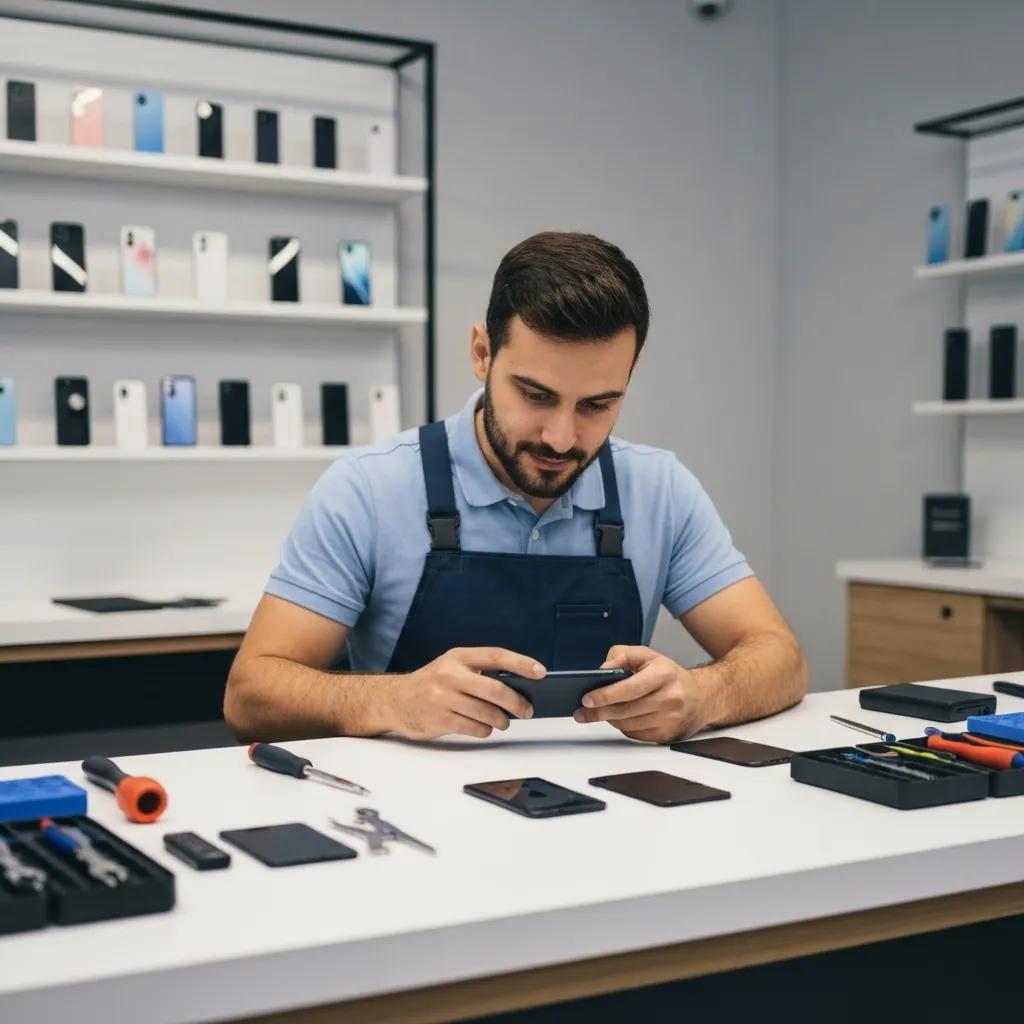
Bizup Murray Bridge: Your Go-To for Reliable Phone Repairs
Mobile devices are essential to daily life in Murray Bridge. When your screen cracks, battery drains quickly, or water gets near your device, knowing where to get fast, reliable phone repairs is important. At Bizup Murray Bridge, we’re here to help. We offer a range of in-store and remote support options for common phone issues. We’ll guide you through the repair process, from understanding common faults to deciding between repair and replacement, all in plain language.
Why Choose Bizup for Phone Repairs in Murray Bridge?
Choosing a local repair partner means looking for local expertise, quality parts, and accessible service. Our local technicians understand common regional faults and use proven diagnostic methods to quickly identify if a problem is mechanical, electrical, or software-related. We use quality replacement parts and thorough testing to help ensure your device works well after repair. With accessible service options like walk-in diagnostics and secure remote support, we aim to get your phone back in your hands sooner.
What Makes Bizup’s Local Expertise and Community Trust Stand Out?
At Bizup, our local approach focuses on clear communication and practical service options tailored to Murray Bridge. Whether you walk in with an enquiry or need remote diagnostics, our technicians explain what went wrong, why it happened, and what the best next steps are. Our local team is familiar with common wear and damage patterns in the region, and we always prioritise data safety and transparent diagnosis. This community-focused service builds trust, ensuring you get clear explanations and options suited to your situation.
How Do Quality Parts and Skilled Technicians Help Ensure Reliable Repairs?
Our skilled technicians use detailed diagnostics and careful parts selection to address the root cause of issues. This typically includes inspecting the screen assembly and connectors, checking battery health with diagnostic tools, and reviewing software for any corrupt settings or apps. We use tested replacement parts suitable for each model and conduct quality checks to verify touchscreen responsiveness and charging after repair. We also provide clear post-repair information to help you get the most out of your device.
What Comprehensive Phone Repair Services Does Bizup Offer in Murray Bridge?
At Bizup, we handle a core set of phone repair services for common device faults, from broken displays to software issues. Our services include mobile screen replacement, battery replacement, charging port repair, water-damage assessment, and software troubleshooting. Each service targets the underlying cause and is explained clearly before any work begins. Our technicians match parts to your specific model and thoroughly test devices after repairs to check charging, touchscreen responsiveness, and wireless functions. If suitable, secure remote support can guide simple fixes or help determine if an in-store visit is needed. Here’s a quick look at common problems and how we typically approach them:
This table gives you an idea of how we approach common faults. Let’s dive deeper into each service.
How Does Bizup Handle Cracked Screen and Mobile Display Repairs?
A cracked screen repair starts with a careful assessment to see if only the glass is damaged or if the display module, digitiser, or internal connectors are affected. Our technicians check for dead pixels, touch responsiveness, and frame integrity to ensure the correct replacement parts are chosen for your specific model. The repair involves removing the broken assembly, installing the matched screen, reconnecting flex cables, and performing calibration and pressure tests to check touch and display performance. After repair, we conduct a full visual and functional check to help ensure the screen, sensors, and front-facing camera are working, and we provide guidance on handling your device while adhesives settle.
What Are the Benefits of Battery Replacement for Your Phone’s Longevity?
Battery replacement can help restore usable runtime and improve device stability if your battery is draining quickly, shutting down unexpectedly, or showing visible swelling. Our technicians use diagnostic tools to report battery health, which helps us decide if a replacement is needed and guides safety steps, like powering down a swollen battery. Installing a fresh battery pack can often improve day-long usability and reduce thermal stress on your device. We also check charging circuits and power management to help prevent future drain issues. After replacement, we offer advice on charging patterns and software settings to help you get the best life from your new battery.
How Are Charging Port and Connectivity Issues Fixed by Bizup?
Charging port faults often begin with simple debris or lint blocking contacts. Our technicians start with non-invasive cleaning and inspection to see if the connector pins are intact. If cleaning doesn’t restore reliable charging, the port connector may need to be replaced or re-soldered to address loose mechanical contacts or worn connectors. We also test USB data communication, wireless charging coils, and battery charging behaviour to rule out related faults. We communicate clearly about data safety and the steps taken during port repair, so you understand the process.
What Is the Process for Water Damage Assessment and Recovery?
For water damage, the key is swift action: power down your device, remove cases, and bring it in for professional assessment rather than trying home drying methods that could risk corrosion. In-store, our technicians open the unit, clean corrosion with appropriate solvents, inspect the motherboard and connectors, and replace components that show irreversible damage. Recovery can involve cleaning and reassembly for minor exposure, component replacement for partial damage, or more extensive work if corrosion is widespread. We’ll discuss the likely steps needed to restore functionality before proceeding.
How Does Bizup Resolve Phone Software Issues and Optimise Performance?
Software troubleshooting addresses app conflicts, corrupt settings, and outdated firmware, always starting with a backup to preserve your user data where possible. Our technicians run diagnostics to check memory, storage health, and OS integrity, then perform updates, clean up unnecessary background processes, and remove problematic apps or malware. If necessary, a system restore or reinstallation can return your device to a stable baseline while retaining or restoring your data. We’ll explain which tasks are part of a simple optimisation and which require more involved steps, so you can choose the best approach.
Which Major Phone Brands Does Bizup Repair in Murray Bridge?
We repair devices from leading manufacturers, covering a broad range of Android and iOS models. Our technicians adapt procedures to each platform’s assembly and software environment, ensuring careful disassembly, proper component matching, and thorough post-repair testing. Here’s a quick overview of the brands we commonly service:
What iPhone Repair Services Are Available at Bizup Murray Bridge?
For iPhones, we commonly handle screen assembly replacement, battery replacement, and charging faults. Our technicians also assist with software updates and data recovery where possible. Since iPhone models vary, our repair process focuses on correct part matching and careful reassembly to help maintain functions like Face ID and True Tone, where applicable. We use diagnostic checks to assess battery health and test sensors after reassembly to help ensure features are working as expected. We provide clear, model-specific explanations for all our services.
How Does Bizup Support Samsung Phone Repairs in Murray Bridge?
Samsung devices often require specialist handling for curved displays and integrated glass assemblies. Our assessment determines if a glass-only replacement is suitable or if the entire display module needs to be changed. Battery wear and water exposure are common reasons Samsung phones come in for service. We test charging circuits, wireless charging coils, and screen touch integrity after repair. We aim to source parts for recent Galaxy models that match original specifications and validate functionality through a complete device check, including camera, wireless, and charging tests.
What Repair Services Are Offered for Android and Other Mobile Devices?
For other Android brands, we follow a diagnostic-first approach: identifying whether faults are hardware or software, selecting matched components, and performing careful reassembly and testing. Due to the diversity of manufacturers, our technicians may need to source brand-specific parts or use compatible alternatives if originals are unavailable, and we’ll explain any considerations for function or cosmetic matching. For less common models, parts lead times can sometimes be longer, so our team will communicate likely timelines and options.
What Is the Step-by-Step Phone Repair Process at Bizup Murray Bridge?
We believe in a transparent repair process, so you know exactly what to expect from drop-off to collection. Our typical process includes initial intake, diagnostic testing, your approval, the repair work, and then post-repair testing and return. When you bring your device in, our technicians will document any visible damage and symptoms, then run diagnostic checks to pinpoint the fault. After diagnosis, you’ll receive a clear explanation of the issues and your options. Once approved, we’ll repair, and your device will undergo thorough testing before you collect it. Here are the customer-facing steps:
- Intake and initial inspection to log symptoms and visible damage.
- Diagnostic testing to determine hardware versus software causes.
- Communication of findings and approval of a repair plan.
- Repair work followed by comprehensive testing.
- Collection or arranged return, with aftercare advice provided.
How Can Customers Drop Off or Access Remote Repair Support?
You can bring your device directly to our local store for a walk-in appraisal, or you can call us to discuss symptoms and see if a remote diagnostic might be suitable. If remote support is appropriate, our technicians will guide you through safe, limited diagnostic steps that protect your data security. For drop-off visits, please bring any relevant information, such as observed fault behaviour and account credentials if needed for software work. For remote sessions, ensure you have a stable internet connection and a fully charged device if possible. These options offer flexibility to choose the most convenient way to start your repair.
What Are the Typical Diagnosis, Repair, and Collection Steps?
Diagnosis usually involves running battery tests, inspecting ports and connectors, and performing a software health check to identify conflicts or corrupt settings, all of which help us define a clear repair plan. Once you approve the repair scope, our technicians replace or repair the necessary components using matched parts. We then conduct a structured testing routine covering charging, display, touch response, and wireless functions. After successful testing, your device is cleaned, documented, and prepared for collection or return, with our technicians explaining any follow-up steps and aftercare. We aim for clear communication at every stage.
Does Bizup Murray Bridge Offer Repairs Beyond Phones?
Yes, our repair services often extend to tablets and computers! Many issues, like battery wear, screen damage, or software faults, are common across different device types. For tablets, we offer screen replacement and battery servicing, using similar diagnostic techniques adapted for larger devices. Our computer support includes hardware diagnostics, virus and malware removal, performance optimisation, and component replacement, all focused on getting your device back to full usability and protecting your data. This means you can often rely on one trusted local provider for all your device repair needs.
What Tablet Repair Services Are Available Locally?
Our tablet repair services are similar to our phone services for screens and batteries, but we also consider accessory compatibility and the specific handling required for larger display components. Our technicians test touchscreen responsiveness, display calibration, and battery cycling, and we always advise on data backup before any more involved work. For software issues affecting performance, we apply the same update and restore techniques used for phones, adapted for your tablet’s operating system and storage. Our cross-device expertise makes it easier for households with multiple device types to get their tech sorted.
How Does Bizup Support Computer Repairs in Murray Bridge?
Computer repair at Bizup starts with diagnostics to identify hardware faults, storage degradation, or software-based performance issues like malware or slow startup processes. Our technicians perform hardware tests, can recommend component upgrades if appropriate, and conduct cleanups or reinstalls to get your system back to a usable state. If data safety is a concern, we prioritise backup steps before major work, and we’ll give you clear options for repair versus upgrade. This approach provides local users with a reliable way to restore both their mobile and desktop computing resources.
What Are the Most Common Questions About Phone Repairs in Murray Bridge?
We often get asked about our services, repair times, whether to repair or replace a phone, and how to get an estimate. Here are some straightforward answers to help you make quick decisions.
What Phone Repair Services Does Bizup Offer in Murray Bridge?
Bizup offers a comprehensive range of services, including screen replacement, battery replacement, charging port repairs, water-damage assessment, and software troubleshooting for major phone brands and many Android models. Our technicians handle both hardware and software faults, and we explain your repair options clearly before proceeding, so you can make an informed choice. You can be confident that the most common faults are covered locally.
How Long Does a Typical Phone Repair Take at Bizup?
Repair times vary depending on the service and parts availability. Simpler repairs like screen or battery replacements can often be completed quickly, while more complex water-damage work or repairs for less common models might take longer due to parts sourcing. Factors like the severity of damage and specific parts required influence the turnaround. We’ll give you an estimated timeframe during diagnosis and let you know if any delays are expected.
Is It Better to Repair or Replace a Phone?
Repairing your phone is often a great option for common faults like screen or battery replacement, especially if your device is otherwise working well and still receives software updates. Replacing your phone might be more sensible if multiple critical components have failed, or if the device no longer receives essential security updates. We encourage you to consider your device’s age, the extent of the repair needed, and your personal needs when deciding. Our technicians can discuss your options during diagnosis to help you choose what’s best.
How Can Customers Get an Estimate for Their Phone Repair?
You can call our local Bizup phone number to discuss your phone’s symptoms and arrange an in-store appraisal or request a remote diagnostic for simpler issues. Providing your device model, observed fault behaviour, and any recent incidents will help us assess the situation. For walk-ins, we’ll perform an initial assessment and outline the likely next steps. For remote enquiries, our phone guidance can help determine if an on-site visit is needed. We aim to make it easy for you to get a clear understanding of your repair options.
How Can You Get Your Phone Fixed Today at Bizup Murray Bridge?
To start your repair, simply give our local Bizup team a call to describe the issue and find out the best way to bring your device in or begin remote support. We’ll explain what to bring and the initial steps. For in-store visits, please bring your device and any relevant information about its symptoms or prior repairs to help us with an efficient assessment. Remote support is arranged by phone and is ideal when software guidance or simple diagnostics can resolve the issue without a visit. Bizup is committed to accessible tech repair and support for regional Australian communities, offering in-store, remote, and on-site options to meet your needs, always with clear and practical communication.
What Are Bizup Murray Bridge’s Contact Details and Store Hours?
You can contact Bizup in Murray Bridge by phone at 08 8531 0000 to discuss repair options, book an appraisal, or arrange remote support. Our store hours and exact location details are available on Bizup’s official website and local business listings. Calling us first can help confirm the best approach for your device, whether it’s a walk-in appraisal or a booked drop-off. Our phone contact provides a direct way to describe symptoms and ask about parts availability.
How Do You Request a Repair Estimate or Visit the Store?
To request an estimate, start by clearly describing your device model, symptoms, and any recent incidents like drops or water exposure. Provide this information when you call us. For an in-person visit, please bring your device and any relevant accessories or account information if software access is needed for troubleshooting. If a remote diagnostic is more suitable, our team will guide you through safe steps to capture error behaviour and basic logs without exposing sensitive data. These simple steps help us assess your repair needs efficiently.
- Prepare: Note your device model and describe symptoms clearly.
- Contact: Call 08 8531 0000 to discuss options and book an appraisal if needed.
- Bring: For drop-off, bring the device and any relevant information to help with assessment.