
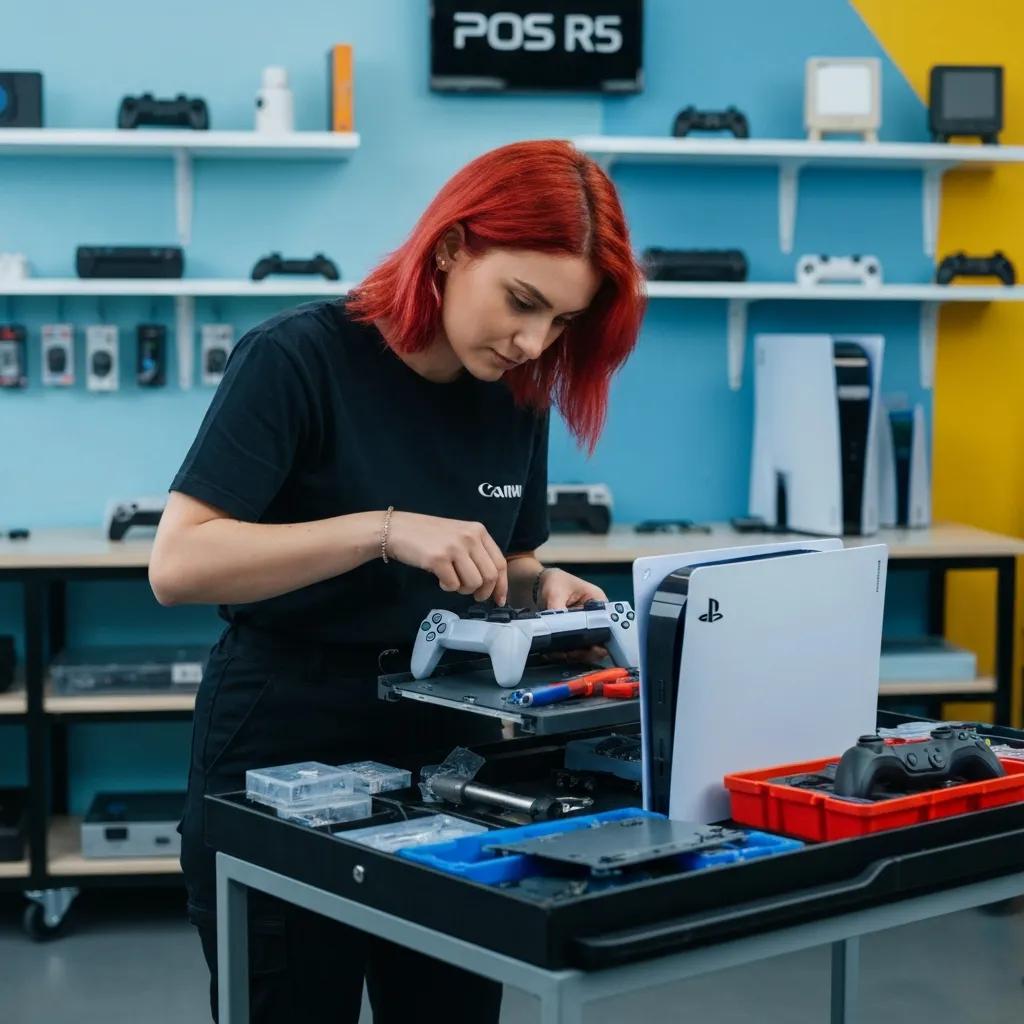
Reliable Gaming Console Repairs in Broken Hill – Expert Services by Bizup
Introduction
If your PlayStation, Xbox, or Nintendo Switch is failing to power on, showing HDMI issues, or suffering controller drift, reliable local repair can get you back to gaming quickly. This article explains how gaming console repairs in Broken Hill work, which models and faults are commonly fixed, and what to expect during assessment, repair, and testing. It focuses on practical guidance for owners of PS5, PS4, Xbox Series X/S, Xbox One, Xbox 360, and Nintendo Switch devices and integrates local service options for Broken Hill residents. You will learn common symptoms, repair approaches, what influences the value of a repair, and step-by-step procedures that technicians use to restore consoles safely. Sections cover why local expertise matters, the specific consoles serviced, the most frequent faults and fixes, our approach to service and support, the repair workflow, and the geographic support available in and around Broken Hill. Throughout, priority is given to clear, actionable advice so you can decide whether to attempt basic troubleshooting or bring your console to a technician.
Why Choose Bizup for Gaming Console Repairs in Broken Hill?
Choosing a provider for console repairs should balance technical skill with transparency and local availability, and Bizup aims to meet those criteria for Broken Hill gamers. Tech repair is a form of electronics repair that combines diagnostic tools, component-level work, and careful testing to restore hardware functionality; a reliable provider uses structured workflows to reduce turnaround and repeat visits. Bizup emphasises clear diagnostics, prompt parts sourcing when possible, and quality checks that prevent recurring faults after repair. The next paragraph explains Bizup’s local mission and how that intent shapes service benefits for regional customers.
Bizup IT’s goal is to provide accessible, reliable, and good-value tech repair and support services to regional Australian communities. They aim to build trust locally, attract walk-in and remote service customers, and position themselves as the go-to tech solution provider.
What Makes Bizup’s Console Repair Services Reliable and Good Value?
Reliable console repair starts with accurate diagnosis, and Bizup uses diagnostic checks to isolate whether symptoms stem from hardware components such as HDMI ports, disc drives, cooling fans, or power supply boards. Technicians prioritise non-destructive troubleshooting first—for example, testing across multiple displays and discs to confirm the fault—before recommending board-level work or part replacement. We believe in clear communication. Our team will assess your console, explain what’s needed, and discuss the options with you before any work begins. This way, you’re always in the loop and can make an informed decision while preparing the console for the next step in the repair pipeline.
How Does Bizup Ensure Fast and Expert Repairs for PlayStation, Xbox, and Nintendo Switch?
Fast, expert repairs rely on a triage workflow: intake and diagnostics, parts sourcing or ordering, targeted repair actions (component replacement, re-soldering or cleaning), and careful post-repair testing. Bizup’s technicians follow this sequence to minimise turnaround while ensuring quality assurance checks confirm HDMI output, disc read accuracy, or controller connectivity before returning hardware. Where on-site or remote support can resolve issues quickly, those options are used to avoid unnecessary shipping or wait times. The workflow described here leads naturally to which specific consoles and model-level issues are routinely handled by regional technicians.
Which Gaming Consoles Does Bizup Repair in Broken Hill?
This section lists the primary console families serviced and what owners typically bring in for repair, allowing you to match your model and symptom to likely fixes. Console repair as a category includes hardware-level work (meronyms such as HDMI port, cooling fan, disc drive, and power supply board) and firmware or software checks when necessary. The following table provides a compact model-by-model snapshot to help you find relevant information quickly and plan next steps.
This table helps identify common model-level repairs and prepares you for the assessment that follows when you bring a console in. The next subsection expands on PlayStation-specific symptoms and repair approaches.
What PlayStation Models Does Bizup Service and What Issues Are Common?
PlayStation consoles from current-gen PS5 to legacy PS3 present distinct fault patterns, with newer models like the PS5 commonly suffering HDMI or thermal issues and older models more likely to show disc-mechanism wear. Technicians check HDMI continuity, inspect cooling paths for dust accumulation, and run OS-level checks to detect firmware-related errors that mimic hardware failure. Where board-level work is required, experienced repairers weigh rework against replacement depending on parts availability and repair complexity. Understanding these model-specific patterns helps you describe symptoms accurately when booking an assessment.
How Does Bizup Handle Xbox Repairs for Series X, One, and 360 Models?
Xbox consoles vary by generation: Series X tends toward thermal and fan-related faults under heavy load, Xbox One often presents disc read errors or HDMI problems, and Xbox 360 commonly shows age-related component failures. Diagnosis focuses on reproducing the problem under controlled test conditions, then addressing the root cause through cleaning, fan or thermal replacements, or disc mechanism work. Parts sourcing is a practical consideration, so technicians will advise whether a board-level repair is viable or if module replacement is the faster, more reliable option. These model distinctions make booking an assessment the best first step for accurate repair planning.
What Nintendo Switch Repairs Are Available, Including Switch Lite and Joy-Con Fixes?
Nintendo Switch families—standard Switch and Switch Lite—commonly require Joy-Con rail and stick repairs, charging port fixes, screen or frame replacements, and battery services. Joy-Con drift often responds to stick replacement or rail cleaning and calibration, whereas charging port faults usually need port replacement and solder rework. Switch Lite repairs focus on internal component swaps and screen or charging fixes since the unit is handheld-only and lacks docked HDMI issues. After discussing Switch service types, the following section maps common console issues across brands and Bizup’s typical responses.
What Are the Most Common Gaming Console Issues Fixed by Bizup in Broken Hill?
Console owners most often bring in devices with overheating, HDMI port damage, disc drive faults, and controller drift; addressing these requires a mix of cleaning, component replacement, and testing. Each issue maps to diagnostic checks that isolate whether symptoms come from the board, peripheral assemblies, or software, guiding whether a repair is cosmetic, component swap, or board-level rework. The table below summarises common faults, associated symptoms, and Bizup’s typical solutions to help you identify your problem before visiting.
This mapping clarifies how distinct symptoms relate to repair actions and why diagnostics are essential to pick the correct repair path. Next, the subsections expand on each of these common issues and the repair approaches used.
How Does Bizup Repair Overheating and Power Supply Problems?
Overheating and power issues are diagnosed by checking airflow, fan operation, thermal sensors, and power rail voltages to find whether the cause is dust, failing fans, thermal paste breakdown, or PSU board faults. Technicians perform deep cleaning, replace fans or reapply thermal interface material, and test the power supply board for voltage stability; if the PSU is defective, board-level repair or module replacement may be required. Preventive guidance includes keeping vents clear, operating consoles in ventilated areas, and periodic cleaning to reduce recurrence. Properly executed, these repairs restore stable thermal performance and reduce the likeliest cause of repeated shutdowns.
What Solutions Does Bizup Offer for HDMI Port Damage and Disc Drive Malfunctions?
HDMI port damage commonly requires microsoldering or port replacement to restore reliable video output; technicians also test with multiple cables and displays to confirm the issue before repair. Disc drive problems may be resolved by laser adjustment, gear replacement, or full drive replacement, depending on wear and parts condition, followed by calibration and test reads. Where board-level repair is needed, diagnostic steps prioritise preserving data and ensuring that any replacement parts are validated through post-repair testing. These targeted fixes return consoles to full multimedia functionality and reduce the chance of residual faults.
How Are Controller Drift and Connectivity Issues Resolved by Bizup?
Controller drift typically responds to physical cleaning, stick-module replacement, and recalibration; technicians open controllers to access joystick modules and replace worn potentiometers or sticks as needed. Connectivity problems often involve firmware sync checks, wireless interference troubleshooting, and antenna or RF module inspections when signal strength is poor. Simple troubleshooting steps customers can try before visiting include re-pairing controllers and power-cycling devices, but persistent drift or hardware faults usually require a service visit for a reliable fix. These interventions restore precise control and stable wireless connections.
Understanding the Value of Gaming Console Repair at Bizup in Broken Hill
The value of console repairs depends on the type of service needed, any parts required, and the complexity of the work involved. At Bizup, we believe in a transparent approach, starting with a clear assessment to help you understand your options. Our goal is to provide accessible, reliable, and good-value tech repair and support services to regional Australian communities, building local trust and positioning ourselves as your go-to tech solution provider.
This breakdown helps clarify that the best service option will depend on our assessment and parts availability. We’ll always discuss everything with you upfront. The next subsections outline what influences the service and our commitment to quality.
What Influences the Value of Your Console Repair?
Key factors influencing the service include the availability of replacement parts, whether the repair requires board-level rework, the technician labour involved, and any urgency or priority service requested. Model rarity and age affect parts availability and lead times; newer consoles sometimes have better parts availability than legacy models. Labour complexity rises significantly for board-level microsoldering compared with component swaps, which is why an initial assessment is critical to discuss the best approach. Considering these factors beforehand helps you decide whether repair is the most suitable option relative to replacement.
Our Commitment to Quality and Clear Communication
At Bizup, we believe in clear communication before any work begins. Our assessment process ensures you understand the recommended service. We stand by the quality of our repairs and aim for your complete satisfaction. We’re always happy to discuss our service standards and how we support our customers, ensuring you feel confident in your repair choice. This approach helps build local trust and ensures you have a positive experience with us.
How Does the Gaming Console Repair Process Work at Bizup in Broken Hill?
Intake and initial symptom capture: the console is logged, and symptoms are recorded for the technician.
- Diagnostic testing: controlled tests identify failing components and confirm whether issues are hardware or software related.
- Discussion of options: a clear overview of the recommended service is prepared and presented for your approval before any parts are replaced.
- Repair and parts work: technicians perform the agreed repairs, including microsoldering, component replacement, or module swaps.
- QA and testing: repaired consoles undergo stress tests, video and disc tests, and controller checks to confirm resolution.
- Pickup or delivery: the console is returned to the customer with documented test results and service information.
This numbered process explains how each phase reduces the chance of repeat faults and prepares the device for reliable use again. The following subsections expand on the steps and how to book.
What Are the Steps from Diagnosis to Repair and Testing?
Diagnosis begins with symptom replication and targeted tests that determine whether the fault is mechanical, electronic, or software-related, and technicians document findings to inform the repair plan. Once the issue is isolated, we’ll discuss the recommended service and options with you. Repair steps include component replacement, soldering or cleaning operations, followed by controlled testing—video output, disc reads, and controller connectivity tests—to validate the fix. This structured cycle minimises risk and ensures that repaired devices meet functional expectations before handover.
How Can Customers Book Repairs or Get an Assessment?
Customers can start by calling Bizup on 08 8087 2470 to describe symptoms and arrange an assessment, or they can choose to drop in for a walk-in intake where available; providing the console model, observed symptoms, and recent behaviour accelerates the assessment process. For remote customers, Bizup supports phone troubleshooting and shipped-in repairs where logistics permit, enabling regional access without an immediate in-store visit. When contacting the team, have the console model and a brief symptom history ready to speed up initial triage and allow the technician to prepare appropriate diagnostic tools. This booking information leads naturally into the geographic coverage and support modes Bizup provides.
Where Does Bizup Provide Gaming Console Repair Services in Broken Hill and Surrounding Areas?
Bizup explicitly focuses on Broken Hill as a service area and supports surrounding regional communities through a mix of walk-in, remote, and arranged pickup/delivery support where feasible. Regional electronics repair requires adaptable service modes—in-store drop-offs for local customers, remote troubleshooting over the phone for quick fixes, and organised shipping or pickup options for delivery-based repairs. Customers in nearby towns should call to confirm service logistics and whether on-site visits are available for larger issues, because availability depends on the job type and travel feasibility.
Which Regional Communities Near Broken Hill Are Covered?
Specific nearby towns are not listed here; Bizup serves Broken Hill and surrounding regional communities and encourages customers outside the immediate town to call for confirmation of service and pickup/delivery options. Regional coverage reflects a commitment to accessible, reliable repair for communities that would otherwise lack specialist console support, and phone-based triage helps determine whether a local visit or shipped-in service is the most practical solution. If you are outside Broken Hill, calling ahead ensures you receive up-to-date guidance on logistics and any potential travel or courier arrangements to support repairs.
How Does Bizup Support Walk-in and Remote Customers?
Walk-in customers can drop off consoles for diagnostic intake and typically receive an initial assessment and discuss service options; remote customers are supported with phone troubleshooting and organised shipped-in repairs when necessary. On-site visits are offered in eligible cases where larger or location-specific issues demand in-person work, and these are scheduled based on job suitability and regional logistics. For remote repairs, clear communication about symptoms, model, and any error indicators helps speed diagnosis and reduces turnaround once the device arrives for physical work. This multi-modal support ensures Broken Hill residents and nearby communities can access timely, expert console repair.
Different repair scenarios require different tools and approaches; understanding these options and contacting Bizup on 08 8087 2470 will connect you to the right support channel for your console.
Lists and practical tips
The article has included several procedural and comparison lists above, and here are three practical, quick-reference lists to help you decide the next steps before arranging an assessment.
Common signs you should seek professional repair:
- The console fails to power on after basic checks and power-cycling.
- Video output is absent or shows persistent artefacts despite testing cables and displays.
- Disc read errors, loud mechanical noises from drives, or persistent controller drift.
Preparation checklist for your assessment:
- Bring the console model information and a brief description of observed symptoms.
- Note any error messages, unusual sounds, or recent incidents (drops, spills).
- Bring controllers and any relevant cables so technicians can reproduce the fault.
Pre-visit troubleshooting steps you can try safely at home:
- Power-cycle the console and test using different HDMI cables and TV inputs.
- Re-pair controllers and update firmware if the console can boot to menus.
- Clean external vents with compressed air to remove visible dust.
This article has covered the consoles, faults, repair workflow, our transparent service approach and commitment to quality, and the local support options for Broken Hill residents. For repair inquiries or to arrange an assessment, contact Bizup on 08 8087 2470 and describe your console model and symptoms so the team can advise next steps.