
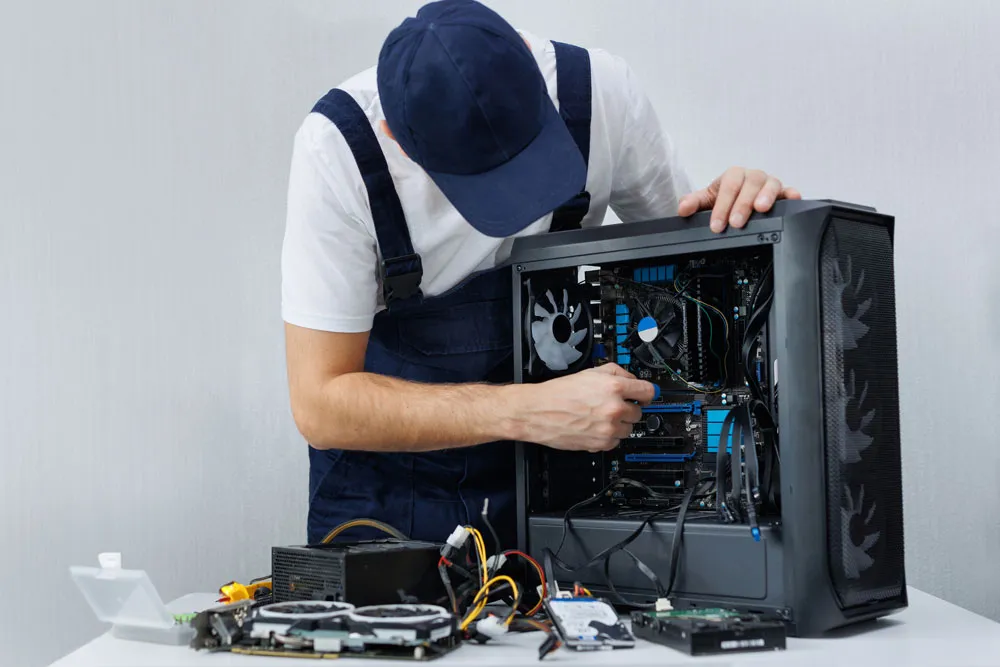
From Bridge Street to MB East—We’ve Got You
On-site and workshop repairs that keep your day (and data) moving.
Looking for Computer Repairs Murray Bridge that are quick, friendly, and actually fix the problem? You’ve just found your local team. At Bizup Solutions, we help homes and small businesses around Murray Bridge keep their tech humming—whether it’s a slow laptop, a cranky desktop, a Wi-Fi that keeps dropping out, or a business system that needs some TLC. We speak human (not just “IT”), we keep things simple, and we focus on getting you back up and running with as little fuss as possible.
We’re locals too, so we understand how important it is to have reliable technology in Murray Bridge—whether you’re running a shop on Bridge Street, working from home in Murray Bridge East, or juggling schoolwork in the evening. If your computer’s acting up, we’re ready to help with down-to-earth advice and solid solutions.
Why Murray Bridge chose Bizup Solutions
Friendly service, plain-English advice
No jargon, no techy lecture. We explain what’s going on straightforwardly and give you clear options. You stay in the driver’s seat while we handle the heavy lifting.
Practical fixes that last
We don’t just patch symptoms—we track down the cause. From hardware to software, networks to backups, we take a practical, whole-system approach so you can use your devices with confidence.
Local help, when you need it
Because we’re in Murray Bridge, we can help quickly and work around your schedule. Need us on-site? Prefer a drop-off? Keen for remote support to save you a trip? We’ve got flexible options to suit.
Great value without the guesswork
We keep recommendations sensible and focused on what’s best for you—recommending repairs, upgrades, or replacements only when they’re the smartest option. You’ll always know what we’re doing and why.
Our core services
We cover the full range of Computer Repairs Murray Bridge for home users and small businesses. Here’s how we can help:
Laptop and desktop repairs
- Troubleshooting & diagnostics – Identify crashes, freezes, boot loops, noisy fans, or mysterious slowdowns.
- Hardware fixes – RAM faults, power supply issues, motherboards, graphics cards, and storage devices.
- Performance tune-ups – Clean-ups, startup optimisation, and maintenance so your computer feels fresh again.
- Screen & keyboard repairs – Cracked screens, stuck keys, touchpad problems, and hinges on the way out.
Mac & PC support
- macOS & Windows – Upgrades, updates, user accounts, and software setup.
- Driver & compatibility issues – Sort out printers, webcams, audio gear, and specialty devices that won’t play nice.
- App headaches – Office, Adobe, accounting software, email clients—installed, configured, and behaving.
Data recovery & protection
- Accidental deletions – We’ll attempt to recover your files with the right tools and approach.
- Drive failure triage – If your hard drive is clicking or has stopped showing up, we’ll assess and advise on the safest next steps.
- Backup strategies – Set up easy, automated backups (local or cloud) so you’ve always got a Plan B.
- Migration to a new device – Move your files, photos, and settings smoothly to a fresh machine.
Virus, malware, and scam clean-ups
- Thorough removals – Kick out viruses, ransomware remnants, adware, and creepy add-ons.
- Security hardening – Sensible security software, safe-browsing settings, and practical tips to avoid future headaches.
- Email & account checks – Make sure your accounts are secure, passwords updated, and multi-factor authentication is working properly.
Wi-Fi, NBN & networking
- Home Wi-Fi set-ups – Eliminate black spots, improve coverage, and boost speed where it matters most.
- Small business networks – Routers, switches, NAS devices, shared printers, and secure guest networks.
- NBN troubleshooting – Sort out connection drops, modem issues, and speed bottlenecks with a methodical checklist.
- Remote access & VPNs – Work securely from home, access files on the go, and keep your team connected.
Upgrades that make a real difference
- SSD upgrades – The single biggest speed boost for older computers.
- RAM increases – More breathing room for multitasking and creative apps.
- Battery replacements – Give your laptop a new lease of life.
- Graphics & storage – Tailored improvements for creators, gamers, and data-heavy workflows.
Business IT support
- Proactive maintenance – Keep your computers clean, updated, and stable.
- New device roll-outs – We’ll prepare, configure, and hand over ready-to-work systems.
- Email & collaboration – Microsoft 365 or Google Workspace set-up, syncing, and best-practice training.
- Cyber safety basics – Practical steps to reduce risk, secure data, and keep your team productive.
The Bizup approach: simple, clear, effective
- Listen first. Tell us what’s happening in your words. When did the problem start? What changed recently? We’ll ask a few targeted questions and get the full picture.
- Fast, practical diagnosis. We run through a proven checklist to isolate the cause. No random guesswork—just methodical testing that saves time and avoids surprises.
- Clear options. We’ll explain what we’ve found, what it means, and your best options. Sometimes that’s a quick fix; sometimes it’s an upgrade; sometimes it’s smarter to move to a new device and migrate data. Either way, you choose.
- Fix & fine-tune. We complete the work, tidy up your system, apply updates where it helps, and make sure everything is stable before we call it done.
- Helpful handover. We’ll show you what changed and share tips to keep things running smoothly—simple, practical, and tailored to how you use your tech.
Local know-how for Murray Bridge
We’re proud to serve the Murray Bridge community and surrounding areas—from Long Island Reserve and Swanport to Rocky Gully, Gifford Hill, and beyond. We know the common internet quirks in the area, the devices locals prefer, and the way small businesses here operate. Whether you’re in retail, trades, hospitality, farming, or professional services, we’ll shape our support to fit the way you work.
Common problems we fix every week
- “My laptop takes ages to start.” Often caused by a failing hard drive or too many startup items. An SSD upgrade plus a tidy-up can be transformational.
- “The Wi-Fi is fine in the lounge, hopeless in the study.” We’ll map your coverage and recommend the right gear—no more dead zones, just consistent speeds throughout your home or office.
- “I clicked something and now I’m getting pop-ups everywhere.” We’ll remove the junk, check for deeper issues, and tighten security so you can browse with confidence.
- “My emails are all over the place between phone and computer.” We’ll sync them properly, set folders and rules, and get calendars and contacts behaving across devices.
- “I need my files back. I deleted a folder by mistake.” We’ll assess quickly and attempt recovery with the least risk to your data—then help set up a backup so it doesn’t happen again.
Upgrading vs replacing: honest guidance
When an older computer struggles, you’ve got options. We’ll help you decide whether to:
- Upgrade – Perfect if the machine is in decent shape. An SSD and more RAM can make a huge difference for everyday tasks, web browsing, and office work.
- Repair – Ideal when a single component has failed (like a power supply or screen) and the rest of the system still suits your needs.
- Replace – Best when the workload has outgrown the hardware or when a new device simply offers a better long-term solution compared to extensive repairs.
We’ll talk through what you actually do on your computer—video calls, spreadsheets, design work, bookkeeping, study—and match the solution to you, not the latest hype.
Remote, on-site, or drop-off—your choice
Different problems call for different approaches:
- Remote support – Great for software issues, email troubles, printer quirks, and general tune-ups.
- On-site visits – Ideal for network issues, multi-device set-ups, and diagnosing problems in your real-world environment.
- Drop-off repairs – Perfect when your device needs deeper testing, a clean install, or hardware replacement.
Tell us what works for you and we’ll make it easy.
Computer care tips from our Murray Bridge techs
- Keep your desktop tidy – A cluttered desktop can slow things down. File documents in folders and empty Downloads occasionally.
- Restart once in a while – A weekly reboot clears out temporary hiccups and completes updates properly.
- Update thoughtfully – Updates are important, but if you’re about to present or submit work, do them after. We can help you set a sensible update routine.
- Back up automatically – A simple, automated backup is worth its weight in gold. We’ll set one up so you don’t have to think about it.
- Watch for phishing – If an email feels off, don’t click. Ask us to take a look—we’re happy to check.
For small businesses in Murray Bridge
Running a business here means wearing a lot of hats. We help take IT worries off your plate:
- New staff set-ups – Accounts, email, access, devices, and security in one smooth handover.
- Shared storage made simple – Keep team files in one place with proper permissions and easy access from the office or on the road.
- Device lifecycle planning – Avoid surprise downtime by planning hardware refreshes and data migrations ahead of time.
- Cyber awareness – Short, practical sessions for your team on spotting scams, handling passwords, and using multi-factor authentication.
We’ll tailor a sensible plan so your tech quietly supports your day-to-day work.
What makes Bizup Solutions different?
- We’re local and approachable – You can speak to the same people who work on your devices.
- We focus on outcomes – Not just “fixing a thing”, but making the whole experience better, faster, safer, and easier.
- We respect your time – Clear communication, neat handovers, and minimal disruption.
- We think long-term – Recommendations that make sense today and keep you productive tomorrow.
FAQs: Computer Repairs Murray Bridge
Do you work on both Windows and Mac? Absolutely. We handle Windows PCs and laptops, MacBooks and iMacs, and can advise on the best path for each.
Can you speed up a slow computer? Yes. We’ll assess why it’s slow and recommend the smartest fix—often an SSD upgrade plus a clean-up delivers a huge improvement.
Is data recovery possible if my drive failed? It depends on the condition of the drive. We’ll assess and attempt safe recovery, then help you put a solid backup plan in place.
Can you fix Wi-Fi problems at my place? Yes. We can visit, test signal strength, and set up the right equipment to improve coverage and reliability throughout your space.
Do you offer remote support? We do. Many software issues can be solved remotely, saving you time and hassle.
Can you help choose a new computer? Definitely. We’ll match recommendations to what you actually do—work, study, creative projects—and handle migration so you’re ready to go.
Our Comprehensive Computer Repair Services
If your computer is giving you grief—or you simply want it to run better—reach out to Bizup Solutions for Computer Repairs Murray Bridge that are friendly, reliable, and tailored to you. Tell us what’s happening, and we’ll take it from there with clear, practical advice and a smooth fix.
Get in touch with Bizup Solutions today!
Tell us what’s going on with your device, and we’ll line up the best way to help—remote, on-site, or drop-off. Let’s get your tech sorted so you can get on with your day.