
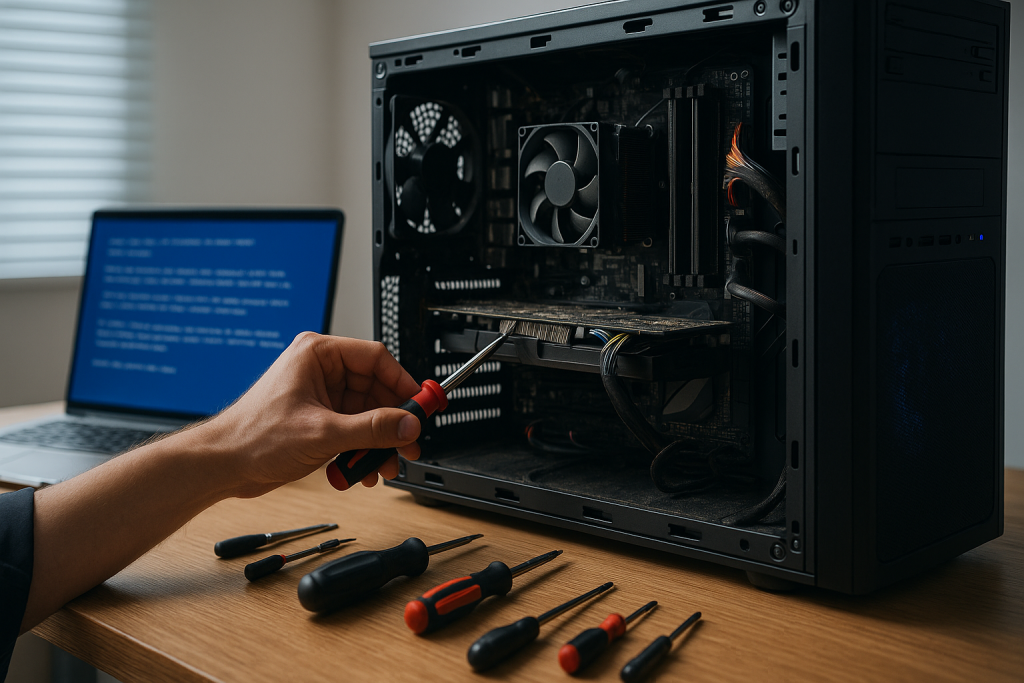
If you’re searching for computer repairs in Griffith, you’re likely dealing with a slow PC, a laptop that won’t start, or a frustrating software error right when you need to get things done. We’re here to help. As your local, friendly tech specialists, we provide clear advice, careful diagnostics, and professional repair services that keep you productive at home or at work. From hardware faults to stubborn software issues, we focus on practical solutions, plain-English explanations, and respectful service that treats your data and time with care.
Why Local Computer Repairs in Griffith Matter
When your computer struggles, it affects more than just a screen and keyboard—it impacts your studies, your job, your family admin, and your peace of mind. Choosing a local Griffith team means:
- You can speak with a real person who understands local needs and schedules.
- You get straightforward guidance on the fastest and most affordable path to a fix.
- If parts are required, we’ll discuss options and timeframes before any work begins.
- You can expect ongoing support, not just a one-off repair.
Our approach is simple: honest diagnostics, transparent recommendations, and meticulous workmanship designed to extend the life of your device.
Common Problems We Fix Every Week
Computers can fail in countless ways, but these are the issues we see most frequently in Griffith:
- Slow performance and freezing: Often caused by outdated software, insufficient memory, drive errors, or background programs competing for resources.
- Startup and boot failures: Power issues, corrupted system files, failing storage drives, or BIOS/UEFI settings out of alignment.
- Overheating and loud fans: Dust build-up, ageing thermal paste, obstructed vents, or failing cooling components can push temperatures too high.
- Wi-Fi and network problems: Dropped connections, weak signals, misconfigured settings, or outdated network drivers.
- Cracked or dim laptop screens: Impact damage or backlight/hinge wear from everyday use.
- Battery and charging faults: Ageing batteries, worn ports, or faulty adapters.
- Software glitches and crashes: Incompatible apps, corrupt installs, driver conflicts, or registry problems.
- Peripheral issues: Keyboards, trackpads, webcams, microphones, and printers not behaving as they should.
- Data access and backup: Files gone missing, accidental deletion, or drives that suddenly won’t mount.
Whatever the symptom, we start with careful assessment to make sure you’re fixing the right problem the first time.
Our Diagnostic Process: Clear, Careful, and Communicated
A good repair begins with a proper diagnosis. Here’s how we handle it:
- Initial conversation
We’ll ask about recent changes, error messages, and symptoms. This helps us narrow down likely causes quickly. - Hardware checks
We test RAM, storage health (including SMART data on HDDs/SSDs), temperatures, power delivery, and ports. If the device has suffered a spill or impact, we’ll check for board and connector damage. - Software and system review
We examine startup items, drivers, operating system integrity, security settings, and update status. If malware is suspected, we isolate the device and run targeted scans. - Plain-English findings
You’ll get a clear explanation of what we found, your repair options, the pros and cons of each choice, and the expected turnaround. If a part is required, we’ll discuss availability and quality options.
You stay in control at every step. No surprises.
Performance Tune-Ups That Make a Real Difference
If your computer turns on but drags through simple tasks, a focused tune-up can feel like a new machine:
- Startup optimisation: Remove unnecessary launch items and scheduled tasks that slow everything down.
- Storage clean-up and integrity checks: Clear temporary files, repair file-system errors, and ensure your drive isn’t failing silently.
- Driver and firmware updates: Improve stability, compatibility, and security with properly tested updates.
- Browser refresh: Reset and declutter extensions, fix sync problems, and protect against intrusive toolbars.
- Thermal service: Clean dust, refresh thermal paste, and restore proper airflow to reduce throttling.
- RAM/SSD upgrades (when appropriate): If your device supports it, targeted hardware upgrades can deliver excellent value and longevity.
We never upsell. If a low-cost software fix will solve it, that’s what we’ll recommend.
Hardware Repairs Done Right
From day-to-day wear to accidental damage, hardware issues can be resolved with the right parts and care:
- Screen replacements for broken, flickering, or washed-out laptop displays.
- Keyboard and trackpad repairs, including liquid damage assessment.
- Battery replacements to restore portable runtime and reliability.
- Charging port and power issues, repairing loose connectors or diagnosing board-level faults.
- Storage replacements when drives fail or you want faster SSD performance.
- Fan and cooling repairs to stop overheating and extend component life.
- Hinge and chassis fixes to maintain structural integrity and safe operation.
We’ll match parts quality to your needs and budget, always explaining the differences in durability and performance.
Data Comes First: Protection, Recovery, and Backups
Your files—photos, invoices, school assignments, documents—are irreplaceable. We prioritise data at every stage:
- Before repairs: Where possible, we protect or image your drive so your information stays safe if the hardware deteriorates mid-repair.
- Data recovery options: For failing drives, we assess the safest recovery pathway and explain limits, costs, and likely outcomes.
- Backup planning: We’ll help set up an easy backup routine (local and/or cloud) so you’re not caught out again.
If a repair carries any data risk, we’ll flag it early and discuss alternatives.
Windows, macOS, and Cross-Platform Know-How
We support Windows and macOS devices, with attention to the details that keep them running smoothly:
- Windows: Driver health, Group Policy oddities, Windows Update conflicts, BitLocker considerations, and sensible antivirus setups.
- macOS: Storage checks, Time Machine strategy, Spotlight indexing issues, login items, and iCloud troubleshooting.
- Cross-platform workflows: Email, calendars, cloud storage, and printers configured consistently across your devices.
Our goal is a computer that boots quickly, runs reliably, and keeps your data tidy and accessible.
Networking and Printing That Just Works
Glitchy Wi-Fi and stubborn printers waste hours. We help you reclaim that time:
- Wi-Fi optimisation: Channel selection, interference checks, router settings, and placement improvements.
- Wired networking: Switch configuration and cabling assessments for stable connections.
- Printer setup: Drivers, queues, permissions, and scan-to-email or scan-to-folder that actually work.
Tell us how you use your devices, and we’ll configure the environment to suit.
Security and Peace of Mind
Security doesn’t have to be complicated. We focus on practical protection that fits everyday life:
- Up-to-date systems with automatic patches that won’t disrupt your work.
- Reputable anti-malware configured to protect without slowing you down.
- Safe-browsing guidance and email hygiene to avoid common traps.
- Password best practice with a simple, secure manager to reduce re-use.
- Regular backups so even if the worst happens, you can recover quickly.
If your device is already compromised, we can clean it thoroughly and harden it against a repeat.
Small Business Support in Griffith
If you run a local business, downtime costs money. We provide sensible, fit-for-purpose support:
- Workstation maintenance to keep staff productive.
- Shared storage and permissions so the right people can access the right files.
- Email and cloud services are set up correctly the first time.
- Proactive check-ups are scheduled at intervals that make sense for your operation.
- Security basics across endpoints, routers, and backups.
We’ll align repairs and improvements with your business priorities, not the other way around.
Transparent Communication, Respectful Service
Good service is about more than technical skill. We aim to make every step clear and comfortable:
- You’ll always know what we’re doing and why.
- We’ll get your approval before proceeding with any parts or significant work.
- If replacement is smarter than repair, we’ll say so—plainly and promptly.
- We handle your device and data with care, discretion, and professionalism.
Your trust matters, and we work to earn it on every job.
Practical Tips to Keep Your Computer Healthy
Between services, these small habits make a big difference:
- Restart weekly to clear memory and complete updates.
- Keep software current, especially your operating system and browser.
- Limit auto-start apps to essentials only.
- Watch storage levels; aim to keep at least 15–20% free space.
- Vacuum around vents and keep devices off soft surfaces that block airflow.
- Back up regularly—set and forget is best.
- Be sceptical of pop-ups and email links that pressure you to act urgently.
If something feels off, don’t ignore it—early checks often prevent bigger problems.
Frequently Asked Questions
How long do computer repairs usually take?
It depends on the fault and whether parts are required. Many software fixes are same-day. If we need to order a part, we’ll outline the expected timeframe before you decide.
Can you save my files if my computer won’t start?
In many cases, yes. We assess the drive’s condition first and advise on the safest recovery path.
Is my old laptop worth upgrading?
Sometimes a modest RAM or SSD upgrade extends life significantly. We’ll estimate the benefit versus replacement so you can choose confidently.
Do you work on both Windows and Mac?
Absolutely. We support both platforms and can help you maintain a mixed environment.
What if my issue comes back?
Tell us straight away. We’ll re-check the original problem and make it right.
How We Keep Repairs Cost-Effective
We focus on fixes that deliver value over time:
- Diagnose thoroughly so you don’t pay for guesswork.
- Prioritise repairs that extend life without wasting money on marginal gains.
- Recommend reputable parts that balance reliability and cost.
- Provide simple maintenance tips to avoid repeat visits for the same issue.
Our aim is a stable, speedy machine you enjoy using—not a short-term patch.
The Human Side of Tech Support
Computers can be stressful when they misbehave. We keep interactions calm, respectful, and patient. We’ll meet you where you are—whether you want a high-level summary or a detailed breakdown—and we’ll never rush you into a decision. Clear communication is part of the repair.
Your Trusted Choice for Computer Repairs Griffith
When your device is slow, stuck, or simply won’t start, choose a team that values clarity, care, and reliable outcomes. For computer repairs in Griffith, we provide the local expertise and friendly service that gets you back to what matters—without confusion or fuss. From careful diagnostics and data-first procedures to practical upgrades and ongoing support, we’re here to help you enjoy a faster, safer, and more dependable computer every day.